CrowdStrike Outage: What Happened and How to Limit Future Risk

In the early morning of July 19, a software update to CrowdStrike’s Falcon sensor started to cause one of the most extensive IT outages in history, affecting several industry sectors, including financial services, healthcare, transportation, and others. According to CrowdStrike, the outage stemmed from “a defect found in a Falcon content update for Windows hosts.” At this point, the software update has not affected Mac and Linux systems.

Vendor Risk Management Principles: A Strategic Guide For Security Managers

In today’s interconnected business environment, organizations rely heavily on third parties, and while third party relations are critical for success in most businesses, they also leave data more vulnerable to exposure from bad actors. This makes vendor risk management (VRM) a critical component of any company's overall risk management strategies. Effective VRM practices help protect sensitive data and maintain robust security postures, minimizing the potential risks introduced by vendors.

Log on as a Batch Job Rights & Security Setting

Log on as a batch job policy determines the accounts permitted to sign in through a batch-queue tool like the Task Scheduler service. When you schedule a task using the Add Scheduled Task Wizard, assigning it to run under specific credentials, that user is granted the right to log on as a batch job. At the designated time, the Task Scheduler service logs in the user as a batch job rather than an interactive user, executing the task within the user’s security parameters.

How to Perform Bare Metal Recovery Using the Direct Streaming Method - BDRSuite

BDRSuite - Bare Metal Recovery - Step-by-Step Guide Welcome to BDRSuite How-to series! In this video, we'll guide you through the process of performing Bare-Metal Recovery using the Direct Streaming method. BDRSuite's Bare-Metal Recovery feature is helpful when dealing with complete system failures, allowing you to restore entire systems (Windows Servers or Workstations), to new or existing hardware.

How To Configure PAM with DUO MFA | CyberArk

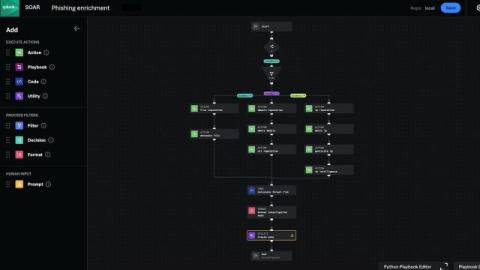
In this video, we walk you through the step-by-step process of configuring PAM (Pluggable Authentication Modules) and DUO Multi-Factor Authentication (MFA) with CyberArk. Strengthen your security posture and ensure robust access control for your sensitive data and systems. What You'll Learn: Tools and Resources: CyberArk DUO MFA Pluggable Authentication Modules (PAM) Step-by-Step Instructions.

Securing Data, Empowering Innovation: A Three-Part Approach for Future-Proofing Enterprises

In the first part of this blog series, we discussed the primary data security challenges identified as most significant for c-suite respondents from our executive research. In the ever-changing landscape of modern business, harnessing the full potential of data has become imperative for enterprises aiming to future-proof their operations. However, to truly unlock this potential, organisations must critically assess their approach to data security across three vital areas.

Understanding the Differences Between Fine-Grained vs Coarse-Grained Access Control

In the age of digital collaboration and cloud computing, access control is a critical security tool. It is crucial to ensure that only authorized users have access to the appropriate information in order to effectively manage security, adhere to privacy and industry regulations, and safeguard intellectual property (IP) for competitive advantage.

Unleashing Data's Potential Through Security

Data is the foundation of modern business strategies. Organisations are navigating a complex landscape to harness the power of their data effectively, from ensuring seamless integration and accessibility to upholding quality standards and compliance, all while fostering strategic data governance. In an era where data holds the key to unlocking AI capabilities and driving advanced analytics, the quest for leveraging sensitive data safely has never been more pressing.