Security | Threat Detection | Cyberattacks | DevSecOps | Compliance

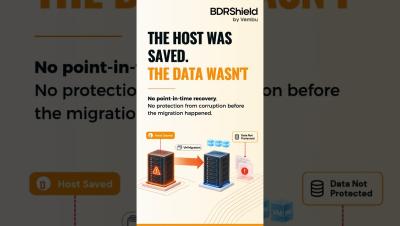
vMotion + USB Passthrough - The Dangerous Assumption 1

Need to connect a physical USB device to a VMware ESXi virtual machine? Watch our quick video to learn how to configure USB Passthrough in VMware ESXi. Configuring your VMs is only the first step. Protect them from hardware failures, accidental deletion, ransomware, and unexpected outages with BDRShield—delivering reliable VMware backup, fast recovery, and cyber-resilient data protection.

Ransomware vs Backup:Can You Recover Your Clients After an Attack?

Modern ransomware doesn't just encrypt systems—it targets backups too. In this webinar, learn why recovery often fails even when backups exist, how attackers compromise backup environments, and what it takes to build a ransomware-resilient backup strategy. Ideal for MSPs and IT professionals looking to strengthen cyber resilience and recovery readiness.

VMware ESXi USB Passthrough Not Working? Fix Missing USB Devices in VMs

USB detected by VMware ESXi, but not showing up inside your virtual machine? USB Passthrough issues can occur without any error messages, making troubleshooting difficult. In this video, you'll learn how USB Passthrough works in VMware ESXi, common reasons why USB devices fail to appear inside VMs, and the steps required to configure and troubleshoot USB devices successfully. Whether you're a VMware administrator, IT professional, or virtualization enthusiast, this guide will help you avoid common USB Passthrough pitfalls and ensure your devices work as expected.

The Tata Electronics Breach: What IT & Security Teams Must Do - Before Your Business Is Next

When Tata Electronics confirmed a cybersecurity incident this week, the numbers were staggering. Over 200,000 files. 630GB of data. Apple iPhone specs. Tesla trade secrets. Employee passport scans.

VMware ESXi 8.0 System Storage Changes Explained | ESX-OSData, Boot Partitions & Upgrade Guide

VMware ESXi 8.0 introduces significant changes to its system storage architecture, making storage management more flexible, scalable, and efficient. In this video, we explore the new ESXi 8.0 system storage layout, including the System Boot, Boot-bank 0, Boot-bank 1, and ESX-OSData partitions. Learn how the redesigned storage structure impacts performance, storage efficiency, virtual environment management, and upgrade planning. We also cover key storage behavior changes, ESX-OSData partition sizing, and important considerations for administrators upgrading to ESXi 8.0.

VMware ESXi USB Passthrough Explained | Configure USB Devices in Virtual Machines Step-by-Step

VMware ESXi USB Passthrough Overview and Configuration Need to connect a physical USB device directly to a VMware virtual machine? In this video, we explain how USB Passthrough works in VMware ESXi and provide a step-by-step guide to configuring USB devices for your VMs. You'll learn about the key components that make USB passthrough possible, including the USB Arbitrator Service, USB Controllers, and physical USB devices. We also cover USB 3.0 requirements, vMotion compatibility, common limitations, and troubleshooting tips.

BDRShield by Vembu Powers RainDrive - A New Managed Backup & Disaster Recovery Service for Indian Businesses

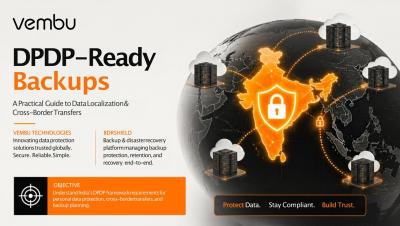
India’s data protection landscape is changing. With the Digital Personal Data Protection Act bringing new compliance obligations to the fore, businesses across the country are being forced to think more...

BDRShield v9 1 0 Unveiled Smarter Backup Operations for Distributed IT Environment

BDRShield v9.1.0 is here! Discover the latest innovations designed to simplify and strengthen backup operations for modern distributed IT environments. In this video, we unveil BDRShield v9.1.0 and explore how its smarter capabilities help IT teams improve backup efficiency, streamline management, and enhance recovery readiness across distributed infrastructures.

BDRShield v9.1.0: Faster, safer backups for virtual, endpoint, and DR workflows

BDRShield v9.1.0, released o May 6, 2026, brings practical improvements that speed backups, strengthen recover-ability, and give admins clearer visibility—especially for distributed sites, and MSP operations. This update focuses on...