Security | Threat Detection | Cyberattacks | DevSecOps | Compliance

Why Companies Are Investing in Custom Platforms Instead of More SaaS Tools

Over the past decade, SaaS tools have become the default solution for businesses trying to move faster and operate more efficiently. From CRMs and marketing tools to project management systems, there is a SaaS product for almost every task. At first, this seems like a perfect setup quick to adopt, relatively affordable, and easy to scale.

K2view vs Tonic for synthetic data generation

If you've ever tried to share realistic production data with a QA team, a data science group, or an external vendor, you already know the problem: the data you need is also the data you're not allowed to move around freely. Synthetic data generation is the practical middle path when done correctly. It gives teams realistic datasets without the privacy risks, compliance concerns, and operational complexity associated with using production data directly.

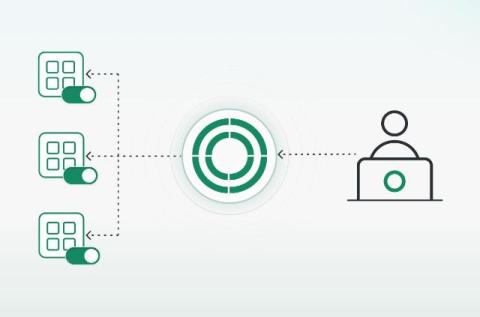
Private App Access, Zero Network Change

As organizations advance toward Security Service Edge (SSE), secure access to private applications has become a practical priority. Executives rightly expect these programs to improve security while increasing agility. Yet many initiatives slow down at the same point: extending access to private applications. The work often depends on firewall exceptions, routing changes, and cross-team coordination, followed by tightly controlled maintenance windows.

What Makes LCD Displays Reliable and Efficient

Electronic screens are everywhere today. Selecting the right technology makes a major difference in how a device performs. Liquid crystal displays have held a top spot in consumer electronics for decades. They offer a strong mix of performance and value. These screens operate reliably under conditions that cause other displays to fail. Hardware designers look for components that balance clarity with power consumption. Understanding what makes them work helps teams pick the best components. Let us examine the mechanics behind these dependable screens.

How to Tell If Your AI Agent Has Been Compromised (When Every Symptom Looks Normal)

Your AI agent just did something it has never done. It called a tool that is not in its usual set, or it opened a connection to a destination you do not recognize, or its output came back subtly wrong. So you do what anyone does: you search for what a compromised agent looks like, and you find a checklist. Unusual tool usage. Unexpected data access. Out-of-context responses. Elevated resource consumption.

Tool Call Analysis for AI Attack Detection: Reading What Rides Inside the Call

A compromised agent doesn’t make a single call it isn’t allowed to make. It queries a table it’s authorized to read, calls a tool it’s authorized to use, sends to a domain that’s on the allowlist. Every call is legal. The attack is in the values it passes, and your tool-call log records all of it as a clean day’s work. A tool call has two layers. Almost every tool you run reads the first one: the call itself: which tool, in what order, at what rate.