Security | Threat Detection | Cyberattacks | DevSecOps | Compliance

Breaking Barriers: Demystifying Zero Trust with Chase Cunningham & Keeper Security

Zero trust is a powerful cybersecurity approach, but its implementation remains a challenge for many organizations. In this webinar, renowned expert Chase Cunningham demystifies the concept of zero trust and provides practical strategies to overcome the barriers to its adoption. Cunningham explores the core principles of zero trust, dispelling common misconceptions and highlighting its benefits in protecting against modern cyber threats. Drawing from real-world experiences, he'll guide you through the process of implementing robust zero-trust architectures tailored to your organization's needs.
Keeper 101 | Enterprise - How to Set Role-based Access and Controls in Keeper

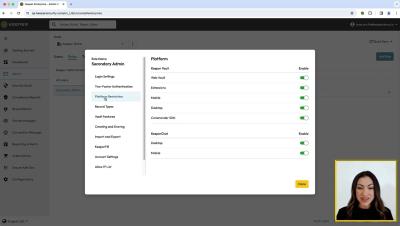
Learn how to set role-based access and controls in Keeper with our step-by-step guide. In Keeper’s architecture, Roles and Teams are separate concepts. A Role defines permissions, policies and what features and security settings apply to users. Roles also define the administrative capabilities of those users. Teams are specifically used for sharing privileged accounts among users within the vault. Teams and Roles can be linked to automatically assign a role policy to all members of a team.

Keeper 101 | Enterprise - How Keeper's Advanced Reporting & Alerts Module Works

Learn how Keeper's Advanced Reporting & Alerts Module works within Keeper Enterprise. This module provides insight to assess vulnerabilities related to administrative changes, password reuse, unauthorized access, password stuffing attacks and insider threats.. The “Reporting Dashboard” provides a quick view of top events, the “Recent Activity” and "All Security Events” reports and any saved custom reports. Monitoring these events can assist in the detection of several threat vectors and help establish enforcement policies around vault and privileged account access.

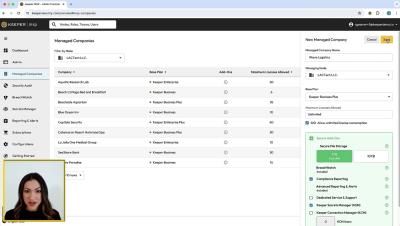
KeeperMSP

KeeperMSP is the most secure, cybersecurity and password management platform for preventing password-related data breaches and cyberthreats. Designed exclusively for Managed Service Providers, KeeperMSP provides a powerful, easy-to-use platform to protect you and your customers’ passwords and sensitive data in secure, encrypted vaults. Web Vault Keeper’s Web Vault is where each provisioned user will securely store and access their passwords, credentials, files and any private data.

Adding Content Sources to Govern

Take advantage of the security and governance features available to you by adding a content source now. From the menu, select Secure & Govern, then Settings, and click Add Cloud Source. Choose the cloud content source you’d like to add and follow the instructions. For additional resources, check out our detailed guides on the Helpdesk. Once a content source is added, Egnyte will begin scanning the repository and alerting you on high severity issues, so you can detect and stop ransomware attacks and receive alerts on anomalous user behavior to prevent data theft.

Revolutionizing Security: Brivo's Unified Platform for Enhanced Collaboration

Dive into the world of advanced security with Brivo's groundbreaking collaborative framework. In this video, we explore how Brivo is changing the game by fostering open collaboration among providers to create an integrated security environment. Discover how this approach allows customers to control and respond to events from a single platform, making security management more efficient and effective than ever before.

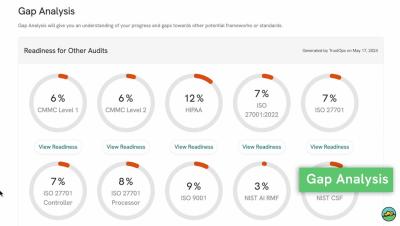
Gap Analysis - Leverage what you do now to set yourself up for success in the future as well.

How TrustCloud leverages the work you do now and sets you up for success in the future as well. Gap analysis is designed to give you insight into other compliance standards and your gaps with them. If you are looking to pursue other standards, this tool is great for determining the level of effort required from your team.