Security | Threat Detection | Cyberattacks | DevSecOps | Compliance

What is doxing, and how do you protect yourself from it?

If you’ve spent a lot of time on the internet, you’ve probably heard the term “doxing” before. You may know that it has something to do with online bullying, harassment, and crime, but still have questions about exactly what it means. If so, you’re not alone. Here, we’re going to explain what doxing is, how it works, and how you can protect your sensitive data.

How to Share Passwords and MFA Codes with Employees

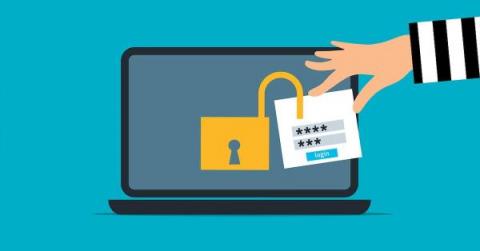
Organizations should implement consistent cybersecurity practices to protect their businesses and employees. Password sharing is a common but risky practice in many workplaces that can leave companies vulnerable to a data breach. Sharing passwords is sometimes unavoidable in the workplace, since many businesses often need multiple employees to access a single user account.

How to Create A Strong Password

The stronger your password is, the harder it will be for cybercriminals to it. It might be difficult to come up with secure passwords for the multiple logins required for online banking, credit cards, email accounts, social media and more. People establish easy-to-remember passwords that include their names, the names of their spouses and children, phone numbers, hometowns and other simple information.

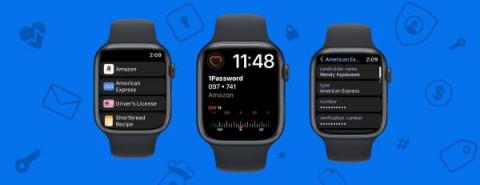
1Password Developer Fireside Chat: Demystifying Atomics

Join 1Password senior developer, Nathan West, as he demystifies atomics – the primitive rules for safely interacting with shared memory from multiple threads. Nathan shows that, while complex, atomic code really is possible to understand. He discusses the C11 memory model, atomic and nonatomic operations, and memory orderings. Nathan also provides insight and clarification on the often-confusing concept of each thread having an independent view of the memory.

Why Is Cybersecurity Important?

Cybersecurity is important because of the major risk data breaches pose. Now more than ever, personal and confidential data such as banking information, addresses, or financial documents are being shared and saved online. Without proper cybersecurity, this data becomes an easy target for cyberattacks which can cause monetary and reputational damage to people and businesses. Cyberattacks take on different forms.

Is Keeper Security Zero Trust?

Keeper security is zero trust. Our cybersecurity platform enables organizations to achieve full visibility, security and control across your data environment. By unifying Enterprise Password Management (EPM), Secrets Management (SM) and Privileged Connection Management (PCM), Keeper provides organizations with a single, pervasive pane of glass to track, log, monitor and secure every user, on every device, from every location, as they transact with all permitted sites, systems and applications.

Changing Your Passwords

Long, randomly generated passwords that are created for each of your logins helps to protect your accounts from cybertheft and account takeover. Keeper’s Password Generator can create and securely store a strong, unique password for each of your sites and apps with the click of the dice. Be sure to refer to a website’s password requirements when creating a new password. You can adjust a password's characters to meet a site’s unique requirements by dragging the slide bar left and right and utilizing the character type check boxes.

Keeper vs Dashlane: Comparing Password Management Solutions

Keeper Security and Dashlane are both password management solutions that offer various user features and benefits. While Dashlane is a basic password manager with a password generator tool, Keeper is a robust, enterprise-grade solution that is only one part of a suite of cybersecurity tools covering password, secrets and connection management. Dashlane allows businesses to instantly generate and save strong passwords for all employee logins. It is supported on desktops, laptops and mobile devices.