Security | Threat Detection | Cyberattacks | DevSecOps | Compliance

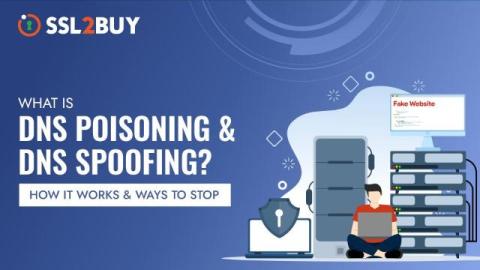
What is DNS Poisoning & DNS Spoofing? Mitigation Tactics for 2026

When you type a familiar website address in your web browser, you expect to land on a particular webpage, but what if you are redirected to a fake website designed to steal your sensitive data? Cyber attackers trick your internet settings into sending you to fake websites instead of the real ones. This is called a DNS spoofing or poisoning attack which exploits vulnerabilities in the Domain Name System (DNS) to compromise the entire network.

DNS is the center of the modern attack surface - are you protecting all levels?

If you are a mature organization, you might manage an external IP block of 65,000 IP addresses (equivalent to a /16 network). In contrast, very large organizations like Apple may handle an astonishing 16.7 million IP addresses or more (about a /8 network). However, this isn’t the case for many of us. IP addresses are fixed assets and can be costly, so most modern organizations do not have a large number of directly assigned IP addresses for every service they expose to the internet.

Detecting and Controlling Hidden DNS Tunnel Attacks

DNS is the backbone of the internet, translating domain names into IP addresses to facilitate communication between devices. However, cybercriminals exploit DNS to create covert channels for data exfiltration and command-and-control (C2) operations using DNS tunneling. This technique allows attackers to bypass security measures by disguising malicious traffic as legitimate DNS queries. As DNS-based attacks continue to rise, securing DNS traffic has become a priority for organizations worldwide.

DNS Servers & Cybersecurity: How They Work and How to Secure Them

The Domain Name System (DNS) is a fundamental component of the Internet, translating human-friendly domain names into IP addresses that computers use to communicate. While its primary function is straightforward, DNS servers play a crucial role in both the performance and security of online activities.

How to Prevent a Subdomain Takeover in Your Organization

When was the last time you checked DNS configurations for subdomains pointing at services not in use? According to Crowdsource ethical hacker Thomas Chauchefoin, while expired and forgotten subdomains can easily become an entry point for an attacker to steal sensitive data and launch phishing campaigns, having the right tool in place can keep them at bay.

DNS Security Best Practices for Logging

Your Domain Name System (DNS) infrastructure enables users to connect to web-based resources by translating everyday language into IP addresses. Imagine going into a restaurant, in the age before the internet, only to find that the staff speaks and the menu is written in a different language from yours. Without some shared communication form, you can’t order dinner, and they can’t give you what you want.

Introducing Low-Latency DNS Policy with eBPF in Calico Enterprise

In Kubernetes, pods often need to securely communicate with external resources, such as internet services or APIs. Traditional Kubernetes network policies use IP addresses to identify these external resources. However, managing policies with IP addresses can be challenging because IPs often change, especially when dealing with dynamic websites or APIs.

Optimizing Kubernetes DNS with NodeLocal DNSCache and Calico eBPF: A Practitioner's Guide

In the world of Kubernetes, optimizing cluster performance and reliability is paramount, especially when it comes to fundamental operations like DNS lookups. NodeLocal DNSCache is one such solution that helps reduce DNS latency by caching responses locally on each node. While this tool is effective in standard Kubernetes setups, complications arise when integrating it with advanced networking solutions such as eBPF-based dataplanes.

What DNS over HTTPS (DoH) Is and How to Enable in Windows 10

DNS (Domain Name System) is a key component of the Internet infrastructure. DNS functions as a distributed directory service that translates human-readable domain names into machine-readable IP addresses. When you type a website address into your browser, the DNS system helps your browser find the right server on the internet. DNS uses a hierarchical and distributed database to manage the mapping of domain names to IP addresses.