Security | Threat Detection | Cyberattacks | DevSecOps | Compliance

Trilio Becomes a Red Hat Premier Partner: A Milestone in Cloud-Native Data Protection

In the rapidly evolving landscape of cloud-native infrastructure, collaboration is the engine of innovation. Today, we are thrilled to share a major milestone in our journey: Trilio has officially achieved Premier Partner status within the Red Hat partner ecosystem. This elevation isn’t just a badge of honor; it is a testament to years of deep technical integration and a shared vision for the future of the open hybrid cloud.

Acronis earns SoftwareReviews recognition for midmarket endpoint protection

Acronis has earned new recognition from Info‑Tech SoftwareReviews, with Acronis Cyber Platform named a leader in the Endpoint Protection – Midmarket Data Quadrant. This recognition is based entirely on feedback from verified end users, highlighting the value MSPs and their clients see in Acronis endpoint protection capabilities. Unlike awards driven solely by analyst opinion or market presence, SoftwareReviews’ recognition reflects real‑world experience.

HIPAA-Compliant Email Archiving: What Healthcare MSPs Need to Know in 2026

Email remains the primary communication channel in healthcare, carrying patient records, referral notes, billing data, and administrative correspondence that frequently contains electronic Protected Health Information (ePHI). For Managed Service Providers (MSPs) serving healthcare clients, HIPAA-compliant email archiving is no longer optional. It is a foundational requirement for supporting regulatory compliance, responding to audits, and protecting against data loss.

VMware Backup Guide: Methods and Best Practices

Backup remains the best approach to data protection for physical and virtual machines, even in the face of new threats to data integrity and accessibility. However, virtual machine backup presents a challenge to IT admins in terms of storage, VM performance, resource efficiency, security, and recovery times. There are multiple methods to choose from to back up VMs. This post explains the advantages and disadvantages of 3 backup methods.

Github backup testing and verification best practices

Backups are as good as the testing carried out to check effectiveness. Key aspects to consider when verifying GitHub backup effectiveness include: Has all data been covered and successfully backed up? Is the frequency of backup appropriate? Are recovery procedures correctly implemented? Read on as we shed more light on testing GitHub backups. Find out more about backup testing best practices, the issues that may arise, how to address them and why backup verification is so important.

How To Build Your DevOps Toolchain Effectively

What can bring together development and operation teams better than DevOps, a prevalent agile methodology? It involves new management principles, cultural change, and technology tools that boost the team’s development, collaboration, and productivity while they cooperate on software development.

How to Back up Microsoft 365 Apps and Services

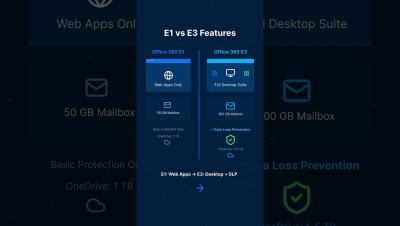
Most cloud services today are available to customers based on what is known as the “shared responsibility model”. This applies to Microsoft 365 services and apps. Although Microsoft 365 data is stored in the cloud, this user data should be backed up by the customers. This blog post explains why you should back up Microsoft 365 data, backup features, challenges, and how to back up Microsoft 365 effectively.

SUSE Virtualization: What to Know Before You Deploy

VMware costs are climbing. Broadcom’s acquisition reshuffled licensing terms, and IT teams everywhere are looking for a way out. SUSE Virtualization is one of the options getting serious attention, and for good reason. It’s an open-source, Kubernetes-native platform that runs virtual machines and containers in a single environment instead of forcing you to manage two separate stacks.

How to Back Up Microsoft 365 to AWS: A Comprehensive Guide

Microsoft 365 services are productive and reliable, but data loss can occur for various reasons. For example, a user may accidentally delete data or a ransomware infection may spread from local computers whose folders are synchronized with the cloud storage. Thus, Microsoft 365 backup is important for data protection and business continuity. With backups, you can recover the needed data and ensure uninterrupted workflows.