Security | Threat Detection | Cyberattacks | DevSecOps | Compliance

Unauthenticated RCE in WordPress core (wp2shell)

SQL injections are still among us. On July 17, WordPress released an emergency security update. Version 7.0.2 fixes an unauthenticated remote code execution flaw in WordPress core that an anonymous attacker can trigger against a stock install with no plugins involved. If your site runs an affected version, update today. WordPress.org has turned on forced auto-updates for affected sites because of how severe this is. We are tracking this vulnerability in Aikido Intel.

Cloudflare WAF protects WordPress applications from two high-severity vulnerabilities

Cloudflare has deployed new Web Application Firewall (WAF) protections for two critical vulnerabilities affecting WordPress. The protections address an Unauthenticated Remote Code Execution (RCE) vulnerability in WordPress's REST API and a related SQL Injection vulnerability. The WordPress security team disclosed the vulnerabilities to Cloudflare before public release so that we could prepare protections for customers.

8 Affordable WordPress Hosting Plans That Still Deliver Strong Performance

Most hosting companies price their introductory plans between $1 and $3 per month, which makes the decision feel like a coin toss. The real cost of choosing wrong shows up later: slow load times, unreliable uptime, and renewal rates that triple or quadruple without warning. A hosting plan that saves you $1 per month but adds half a second to every page load will cost you far more in lost visitors than you ever saved on the bill.

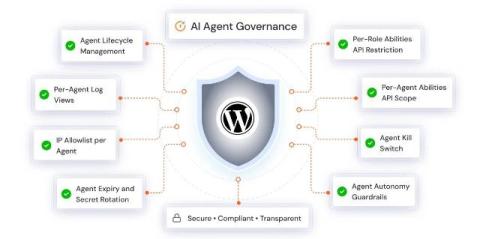
AI Governance for WordPress: How to Ensure Safe and Ethical AI Use

WordPress sites are adopting AI faster than any other web technology category, and the impact is already visible. Over 61% of WordPress site owners now use at least one AI tool for content creation or marketing. WordPress teams are using that access to write content, automate workflows, run chatbots, and process customer data at a scale that was simply not possible before. But as AI adoption grows, so does the risk.

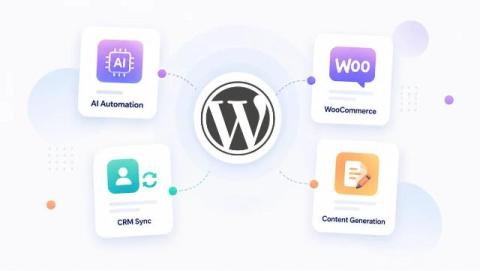
AI Agent for WordPress: The Complete 2026 Guide

In 1997, IBM’s Deep Blue, the first AI agent, made history by defeating Garry Kasparov at chess. Since then, AI agents have advanced dramatically, evolving from single‑task systems to agents like OpenAI’s Operator, which can autonomously fill out forms, place orders, and schedule appointments. WordPress is a popular CMS that powers more than 20% of the top one million websites. Bringing AI agents into WordPress opens up new possibilities, making sites more capable and adaptive.

6 Best Bulk Image Resizers for WordPress Media Library (2026)

This happens to each WordPress website administrator at some point. Log into your dashboard, click your Media Library, and feel the beginnings of a panic attack. Many thousands of photos--many huge, high-resolution files straight from phones or cameras--are taking up the storage space of your hosting storage and killing your page load speeds.

How Single Sign-On (SSO) Makes Your WordPress Site Safer and Easier to Use?

Your WordPress site is more than just a website; it's the heart of your online presence. Keeping it secure and running smoothly is key to providing a reliable user experience. One way to simplify access and strengthen your site’s security is by using SAML Single Sign-On (SSO). But what exactly is SAML SSO, and how can it help protect your WordPress site? Let’s break it down.

Keycloak SSO with WordPress | Keycloak SAML Single Sign-On (SSO)

Keycloak isn't just another Identity Provider, it's a comprehensive open-source solution that handles authentication, authorization, and user management across your entire tech stack. When integrated with WordPress through SAML, it creates a seamless Single Sign-On (SSO) experience that eliminates password fatigue while giving you granular control over user access. Here's how to make it work for your organization.

Active Directory Login for WordPress: The Complete Beginner's Guide

You’ve set up a WordPress portal for your organization. It could be used for project updates, employee resources, or internal documentation. Everything works fine until you realize each employee now has one more username and password to remember just for WordPress. People forget their logins, reuse weak passwords, or share accounts to save time. IT ends up buried under reset requests, and security takes a hit.