Security | Threat Detection | Cyberattacks | DevSecOps | Compliance

Pretexting Scam Examples

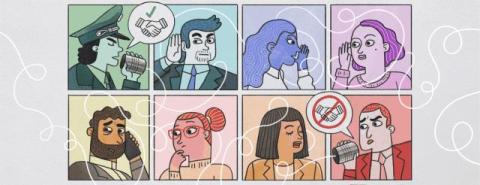
Pretexting is a type of social engineering attack in which the scammer manipulates their target into sharing private information or sending money by making up a story. Pretexting can occur on the phone, via text message, through email or in person. The goal of pretexting scams is typically to infect your device with malware, steal your money, breach private data and more.

Keeper 101 | Enterprise: How to Use Keeper Commander CLI

Keeper Commander allows you to perform administrative and vault functions from a command line environment on Mac, Windows and Linux. You can start Commander by typing “keeper shell” in a terminal window. Enter your username, password, and complete any 2FA requirements when prompted. If you are logging in for the first time on a new device, you may be prompted for device approval for additional security. More information about login methods, such as SSO, can be found in our documentation.

The Importance of Strong Passwords in 2024

Strong passwords are more important than ever in 2024 because they are the first line of defense against cyber attacks. While some companies have started to introduce passkeys to strengthen and expedite the login process, strong passwords are still needed when creating most accounts. A passkey replaces a username and password and has built-in Multi-Factor Authentication (MFA) by design. Strong passwords have been the foundation of any account, and in 2024, they will remain important.

Scams To Look out for During Amazon Prime Day

In 2023, Amazon Prime Day totaled $12.9 billion in sales in only 48 hours. With limited-time deals, many Amazon users get ready to shop during Prime Day and scammers use this to their advantage. As you get ready to shop, it’s important to be aware of the scams that take place before, during and after this event. Some common scams to look out for during Amazon Prime Day include phishing scams, spoofed Amazon websites and deals from other websites that seem too good to be true.

What To Do if Your Password Appears in a Data Leak

If your password has appeared in a data leak, there are several things you should do, starting with changing your password. You may be wondering, “How would I even know if my password was in a data leak?” If you have an iPhone and save your passwords on your iCloud Keychain, you might have seen this message before: This password has appeared in a data leak, which puts this account at high risk of compromise. You should change your password immediately.

Common WhatsApp Scams and How To Avoid Them in 2024

WhatsApp is a messaging app that enables users to message and voice call other WhatsApp users. Many people from all over the world use WhatsApp to communicate. This has made it a common platform for scammers to target people. Some of the most common scams on WhatsApp include an invitation to “WhatsApp Gold,” impersonation scams, WhatsApp tech support scams, as well as charity and romance scams.

How To Protect Your Data if Your Phone Is Lost or Stolen

If your phone is ever lost or stolen, your data could be at risk of being compromised. One of the main ways your stored data could be in danger is if you have a weak passcode, such as 0000 or 1234. If the person who found or stole your phone could guess your passcode, your data would become compromised. Read below to learn more about how to protect your phone when it’s lost or stolen and how to keep your phone’s data safe.

Password Policy Configuration for Safer Security

A password policy is a set of rules that are usually a part of an organizations security regulations to improve computer security. These policies can be formal regulations or part of security awareness training programs that outline requirements such as minimum length, complexity and unique characters. A password must comply with these password strength rules to be set for an account.

If I Click a Link, Will I Get Hacked?

If you click on a malicious link, also known as a phishing link, there is a possibility that you’ll get hacked. This is because clicking on a phishing link could immediately cause malware to download on your device. Alternatively, clicking on a link can direct you to a dangerous phishing website where you’re prompted to enter your personal information. Continue reading to learn more about how clicking a link can lead to getting hacked and how to avoid clicking on these malicious links.