Security | Threat Detection | Cyberattacks | DevSecOps | Compliance

Cyber Threat Intelligence for the Insurance Sector: A Sector Under Two Kinds of Pressure

The insurance sector faces mounting pressure from both commercial growth and a persistent, evolving cyber threat landscape. This blog examines why insurers remain key targets, where their security gaps lie, and how cyber threat intelligence helps close the gap between ambition and resilience.
AI Is Changing Cyberattacks on Hotels: Here's How to Stay Protected

Peak season brings challenges to the hospitality industry every year. Thousands of guests, temporary staff, vendors, and business partners interact daily with reservation systems, management platforms, mobile apps, and loyalty programs. That operational complexity makes hotels a particularly attractive target for cybercriminals. Artificial intelligence hasn't created a new problem for hotels, it is simply accelerating an existing one: identity-based attacks.

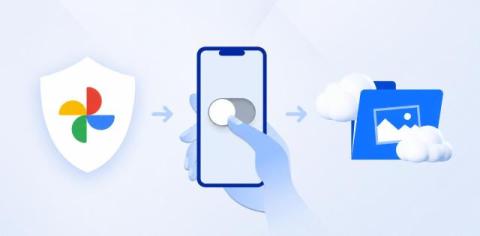
How to Stop Google Photos Backup and Protect Your Cloud Storage

For Android users, all the photos you take are automatically backed up into Google Photos; the same goes if you have Google Photos on iOS or your desktop devices. But what if you don’t want to automatically back up your Google Photos? Or what if you no longer want to be a part of Google’s business model that profits from your data?

Failed Your CMMC Assessment? Remediation and Retesting

CMMC is a major cost and time commitment, often months long and may cost tens or hundreds of thousands of dollars. A C3PAO checks 320 items tied to 110 NIST SP 800-171 controls. Outcomes: full approval, conditional approval with POA&Ms (usually 180 days), or denial. If denied, fix control gaps, update the SSP and evidence, then reapply. Use proper tools and avoid assessor conflict. CMMC is unquestionably a huge investment.

4 Simple Habits To Stop Email Hackers

Stopping email hackers requires adopting four specific habits: letting AI filter inbound messages, identifying manufactured urgency, verifying requests through second channels, and locking accounts with passkeys. These zero-skill routines block the credential-harvesting tactics that compromise shopping, streaming, and financial profiles. Consider a content creator receiving a brand partnership offer from a recognizable sportswear company. The logo perfectly matches the corporate website, the tone sounds professional, and the message includes a simple link labeled to review the contract.

4 Easy Standards To Protect Team Data

Protecting team data starts at the workstation level, moving beyond access logs or password policies to secure the physical environment each employee operates in every day. Inconsistency creates immediate exposure points across the office because varying screen habits and device positions generate discrete gaps that software policies cannot close alone.

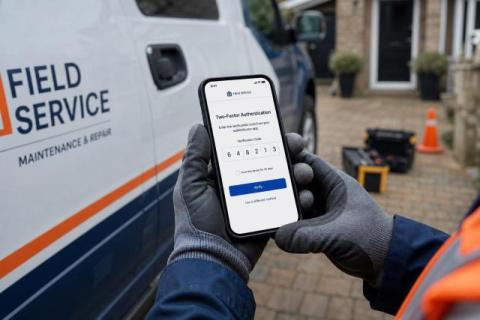
4 Easy Steps To Secure Mobile Field Work

A field tech at a customer site can log into a scheduling app, pull up an invoice, and snap a site photo in under five minutes while connected to open Wi-Fi. That mobile device holds customer addresses, signed work orders, access codes, account credentials, and job-site photos. Unlike an office workstation that sits behind a firewall and never leaves the building, a field device moves through unfamiliar networks and high-risk physical spaces daily.

Is an AI SOC Better Than MDR? What Security Teams Should Weigh

Security teams are expected to investigate more alerts than they have people to handle. IBM's 2025 Cost of a Data Breach Report puts a number on what that gap costs: organizations take an average of 158 days to identify a breach, and a further 83 days to contain it. That is 241 days of exposure, the fastest pace in nine years, and still measured in months. For most SOC teams, the bottleneck was never finding threats. It was having enough people to do anything about them.

Top tips: Your work laptop has a life after office hours

Top tips is a weekly column where we highlight what’s trending in the tech world and share ways to stay ahead. This week, we’re taking a moment to talk about what goes on between you, your work laptop and the IT team once you log off for the day. You shut your laptop at the end of the workday. As far as you're concerned, work is over. But for your IT team, their work might just be getting started.