Security | Threat Detection | Cyberattacks | DevSecOps | Compliance

How to upload Internxt Drive files to WebDAV

This short tutorial shows you how to upload your Internxt Drive files to your preferred WebDAV server via the Internxt CLI to ensure your files are securely transferred and accessible. Now you are set up with the Internxt CLI and have connected to a WebDAV server, and you’re ready to get started and upload your files to WebDAV! This short video gives a quick, easy-to-follow guideline for uploading files to a WebDAV server. Uploading files is just the beginning of what you can do with WebDAV, and the Internxt CLI allows you to.
How to connect a WebDAV server to Internxt Drive

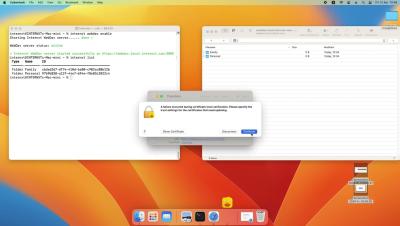
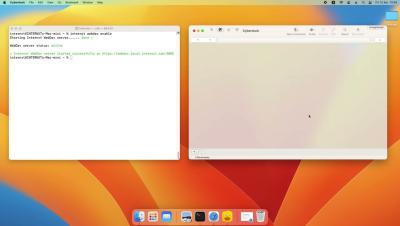
This short tutorial shows you how to use WebDAV by connecting to a WebDAV server to upload your Internxt Drive files via the Internxt CLI, ensuring your files are securely transferred and accessible. Once you have downloaded the Internxt CLI, you can connect and interact with your Internxt cloud storage via your preferred WebDAV server, we support: CyberDuck, Transmit, Cadaver, or Finder.

How to install the Internxt CLI to connect to a WebDAV client

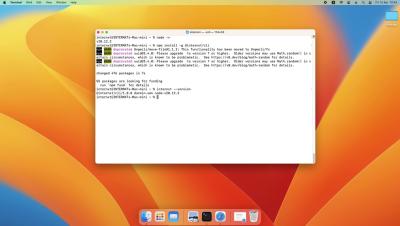
This video explains how to get started with the Internxt CLI so you can then connect to your preferred WebDAV client and manage your files via a Command-Line Interface and WebDAV for Windows and Mac. A CLI (Command Line Interface) offers precise control, security, automation capabilities, and efficiency, making it ideal for advanced users. The Internxt CLI guarantees your files' complete privacy and security, as all files are encrypted directly on your device, and no plain data is transmitted to the WebDAV server, protecting you from data breaches.

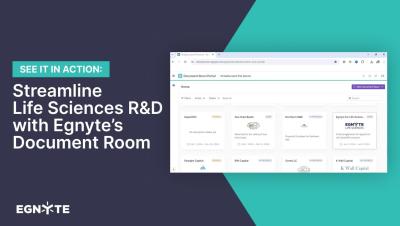
Streamline Life Sciences R&D with Egnyte's Document Room

Discover the power of Egnyte’s Document Room for Life Sciences. Our Virtual Data Room (VDR) provides a secure and compliant environment for managing controlled documents, meeting regulatory standards, and enhancing collaboration across your R&D teams. Watch this video to learn how Egnyte’s Document Room boosts transparency, safeguards sensitive data, and accelerates fundraising efforts. Streamline clinical and non-clinical workflows while maintaining the highest security standards.

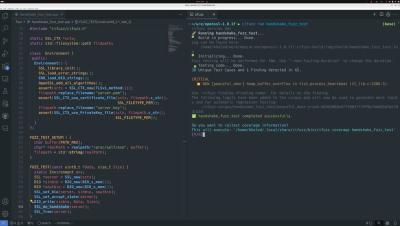
Detecting Out-of-Bounds Memory Access, Which Caused The Crowdstike's Incident

The Crowdstrike incident is a recent example of out-of-bounds memory access in C/C++ causing a crash. CrowdStrike reported that problematic content in Channel File 291 triggered an out-of-bounds memory read, leading to a Windows operating system crash (BSOD). Another critical example with the exact root cause is the Heartbleed vulnerability, which affected the OpenSSL library. Remarkably, fuzz testing could identify this issue in less than 10 seconds. Watch the video to see fuzz testing in action.

Get Visibility Into the Cloud: Craig and Mike Secure the World, One Cloud at a Time

Mike Lossmann and Craig Johnson discuss enhancing cloud visibility for an upcoming audit, demonstrating how to ensure security in cloud environments. Highlights Craig explains the importance of knowing the cloud’s security posture. Forward Enterprise shows full multi-cloud visibility between cloud zones. Analysis reveals potential security gaps. Querying the entire cloud model identifies misconfigurations. Historical data allows for forensic analysis post-breach. Users can prepare for audits without last-minute scrambling.

Zero to 80% Faster - How to Leverage AI to Accelerate Security Reviews

Stop wasting your team's time answering security questionnaires. It's time to supercharge the way you complete security reviews by leveraging AI to unlock unprecedented speed and accuracy. We'll explore proven strategies for fast tracking the way your team completes security questionnaires using advanced AI tools and automation. You'll learn best practices like maintaining a centralized knowledge base and leveraging a public-facing trust portal to get ahead of questions.

API Security Testing on Free Swagger collection

API security is a critical aspect of modern web applications, ensuring that your APIs are robust and secure from potential threats. In our latest video, we dive into API security testing using a free Swagger collection. Swagger, an open-source framework, allows developers to design, build, document, and test their APIs with ease. By leveraging Swagger collections, you can perform comprehensive security testing to identify vulnerabilities such as injection flaws, data exposure, and improper authentication. This proactive approach helps in mitigating risks and protecting your API endpoints from malicious attacks.