Security | Threat Detection | Cyberattacks | DevSecOps | Compliance

SaaS Security Posture Management/SSPM: A Must-Have for Securing Your SaaS Applications

As more companies adopt Software-as-a-Service (SaaS) apps, keeping these cloud-based systems secure has become crucial. While SaaS offers convenience, scalability, and flexibility, it also introduces significant security risks. Organizations must actively monitor and control the security of their SaaS environments. SaaS Security Posture Management / SSPM is becoming an essential tool for this task.

Complexity of Attack Surface Management in Cloud Environments

Legacy attack surfaces were small and simple. There were fewer servers and endpoints to protect. The tooling required to secure it was basic – perimeter firewalls, antivirus software, and server/network/application monitoring tools. When organizations migrate to the cloud, things change and become complex. For starters, on-premise infrastructure and applications can’t be left out in favor of the cloud. Most organizations run hybrid setups.

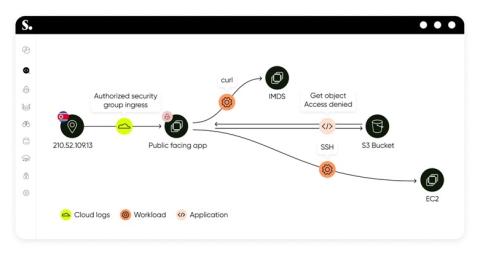
How CrowdStrike Hunts, Identifies and Defeats Cloud-Focused Threats

Adversaries’ persistent efforts to evade advancements in threat awareness and defense have shaped a cyber threat landscape dominated by their stealthy, fast-moving tactics. As they expand into the cloud environments where most organizations now operate, the need to hunt and remediate threats has become crucial.

SaaS Security: Protecting Your Cloud-Based Applications and Data

Software as a Service (SaaS) has quickly become popular and has changed the way businesses work by making them more scalable, flexible, and efficient. Cloud-based apps are convenient, but they also come with the duty of keeping them safe from cyber threats. As more businesses move private data to the cloud, security for SaaS has become very important. This is because the data is vulnerable to risks like cyberattacks, data breaches, and unauthorized access.

CASB Requirements: What You Need to Know to Secure Your Cloud

In the modern cloud landscape, the question isn’t whether or not you need a cloud access security broker (CASB) — it’s how to choose the right one and implement it effectively. Malicious attacks are on the rise, and so are remote and hybrid workforces, making it more important than ever to be proactive about data security.

7 CASB Use Cases to Protect Cloud-Based Resources

Cybersecurity leaders already know the importance of a data loss prevention (DLP) solution. They also know DLP has its limits. As cloud applications have grown more common, they’ve introduced gaps in the DLP shield. SaaS apps present new opportunities for data leakage, accidental sharing, and insider threats. To plug those gaps, you need a cloud access security broker (CASB).

Bridging the cloud security skill gap with Sysdig Sage

Disruptive technologies have a learning curve in the pace of adoption and implementation. Training and education tend to follow a slower schedule and can have a hard time keeping up with discoveries happening on the bleeding edge. This is part of what led to the current cloud security skill gap. The cloud transformed software development, accelerating innovation and the pace of human creativity. But, we now know that it also formed new security challenges.

New standards for a faster and more private Internet

As the Internet grows, so do the demands for speed and security. At Cloudflare, we’ve spent the last 14 years simplifying the adoption of the latest web technologies, ensuring that our users stay ahead without the complexity. From being the first to offer free SSL certificates through Universal SSL to quickly supporting innovations like TLS 1.3, IPv6, and HTTP/3, we've consistently made it easy for everyone to harness cutting-edge advancements.

Encryption at rest in Elastic Cloud: Bring your own key with Google Cloud

Now that we’ve introduced Elastic Cloud encryption at rest and walked you through setting it up in AWS and Azure, it’s time to get you set up in Google Cloud. In this final blog of the series, we will explain how encryption at rest works with Google Cloud Key Management Service (KMS) and then show you how to apply a Google Cloud KMS key to an Elastic Cloud Hosted deployment for encrypting data and snapshots at rest.