Security | Threat Detection | Cyberattacks | DevSecOps | Compliance

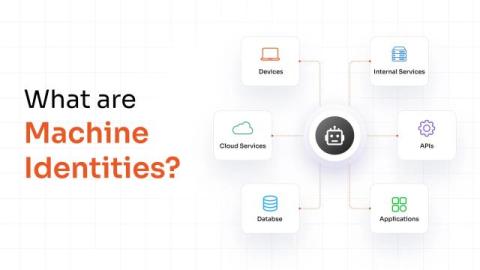
What Are Machine Identities?

A machine identity is the set of credentials a non-human entity, such as an application, device, workload, or service, uses to authenticate itself and communicate securely with other systems. Just as an employee proves who they are with a username and password, a machine proves who it is with cryptographic credentials like a digital certificate, an API key, or a service account token.
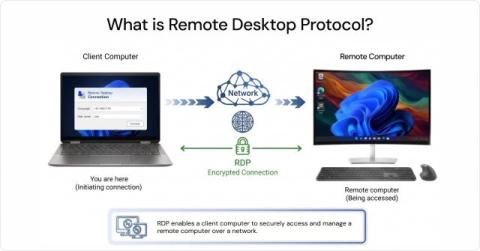
What Is Remote Desktop Protocol (RDP)?

A field employee's laptop crashes, or a server in another office needs a patch, or a remote worker gets locked out of their workstation. For all these situations, the IT team needs to get in, fix it, and move on, without being there. Remote Desktop Protocol (RDP) is Microsoft's answer to that problem. It's a network protocol that lets you connect to another computer over a network and control it as if you were sitting right in front of it.

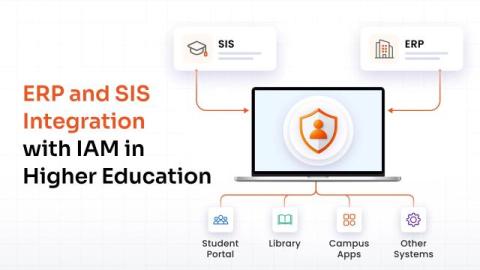
ERP and SIS Integration With IAM for Higher Educational Institutes

Higher education institutions manage identity information across systems such as Enterprise Resource Planning (ERP) platforms, Student Information Systems (SIS), and HR systems. These records determine whether someone is a student, employee, faculty member, researcher, alumnus, or another type of campus user. Integrating these systems with Identity and Access Management (IAM) lets institutions use those records to manage digital identities and access throughout the user lifecycle.

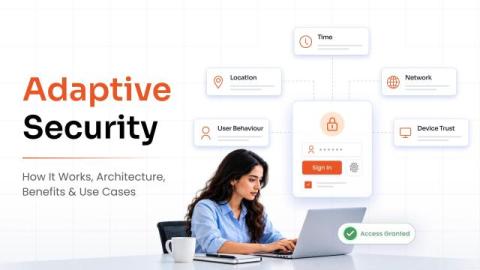
Adaptive Security: How It Works, Architecture, Benefits & Use Cases

Adaptive security is a cybersecurity approach that continuously monitors users, devices, networks, and security events to identify risks and adjust defenses in real time. Unlike static security models that rely on fixed rules and periodic updates, adaptive security responds to changes in behavior, context, and threat levels as they occur. It continuously evaluates security risks, detects unusual or suspicious activity, and adapts security controls based on the situation.

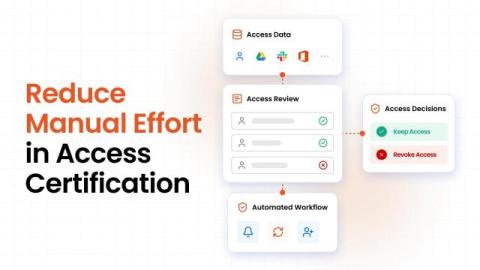
How to Reduce Manual Effort in Access Certification

Access certification can take more time than the actual review. A manager may need to review access for 50 employees. Before that happens, someone has to gather the access data, identify the right reviewer, send the requests, and track the responses. If the reviewer revokes access, someone may also need to remove it from the application. Now repeat that across hundreds of users and several applications. The workload adds up quickly.

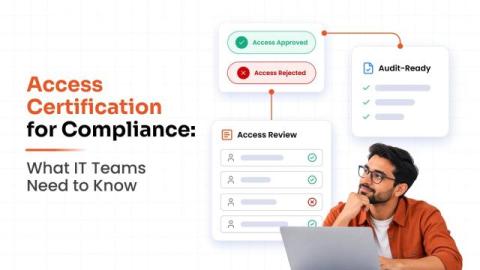
Access Certification For Compliance: What IT Teams Need To Know

An access review can look complete on paper. The campaign closed, reviewers made their decisions, and the records were saved. Then an auditor asks: Who reviewed this access, what did they decide, and what happened afterward? That question can reveal problems that a completed review does not show. A rejected permission may still be active. An exception may have no clear reason. The team may also struggle to show when the review happened.

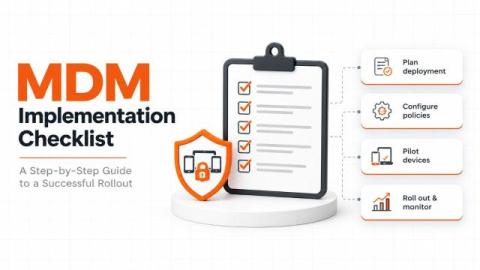
MDM Implementation Checklist: From Planning to Deployment

Enrolling devices is only one part of implementing Mobile Device Management (MDM). Before rollout, IT teams need to define ownership models, prepare the environment, configure policies, and verify that employees can access the apps and resources they need. This MDM implementation checklist breaks the process into seven phases, from initial planning to ongoing device management. Use it to organize responsibilities, identify dependencies, and confirm that each phase is ready before moving to the next.

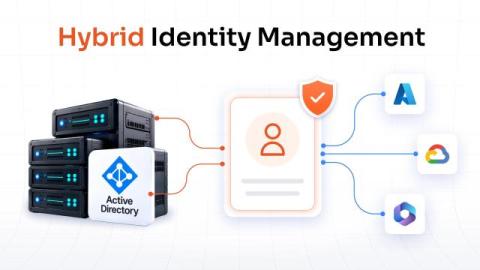
Hybrid Identity Management: Secure Access Across Cloud and On-Premises

Hybrid identity management is the practice of managing user identities and access across on-premises and cloud environments through a connected identity framework. Most organizations today operate across both. Active Directory may still manage identities for internal applications, while cloud platforms and SaaS applications handle other parts of the business. This creates a simple challenge: how do you give users consistent access when their applications and identities exist in different environments?

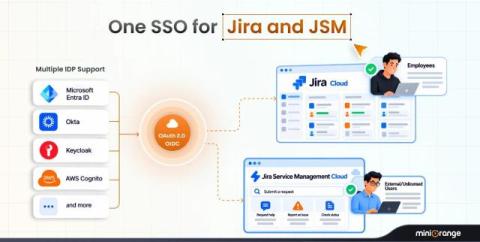
Why OAuth SSO Matters for Both Jira Cloud and Jira Service Management

Jira is rarely used by just one type of user. Primarily, teams use Jira Cloud for project management. At the same time, support teams work inside Jira Service Management (JSM), while internal employees and external users such as customers, vendors, and partners may access the JSM portal. They are all accessing the same Atlassian ecosystem, but they do not necessarily log in the same way. This is where organizations can run into a problem.

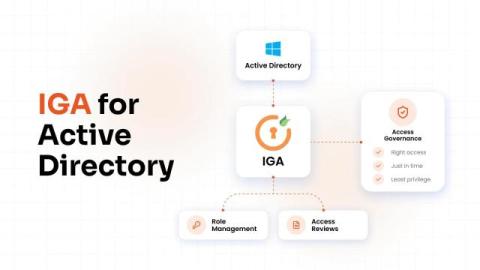
Active Directory Governance: How to Know Who Has Access and Why

An employee changes roles. Their manager requests access for the new job, and IT grants it quickly. That part works well. The issue appears when access from the previous role stays in place. The same thing happens when a contractor finishes a project, an admin completes urgent work, or a team retires an application. Access often remains because nobody has checked whether it still serves a purpose. Active Directory governance allows IT and security teams to answer three questions.