Security | Threat Detection | Cyberattacks | DevSecOps | Compliance

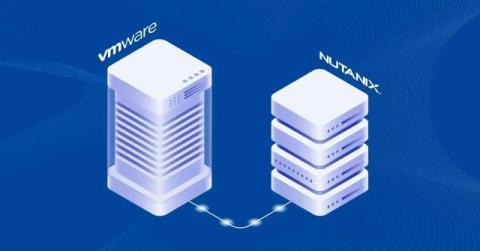
How to Migrate VMware VMs to Nutanix

Nutanix is a hyper-converged virtualization platform for running virtual machines. It can be used as an additional infrastructure or an alternative to VMware vSphere and Microsoft Hyper-V.For more information, you can read this VMware vs Nutanix comparison. You can migrate VMware virtual machines (VMs) from ESXi hosts and clusters to a Nutanix cluster. Read this VMware to Nutanix migration guide to learn how to configure the migration properly.

How to Convert a Physical Linux Server to a VMware VM: Comprehensive Walkthrough

Running servers on virtual machines provides you with a list of advantages such as scalability, rational resource usage, high availability, load balancing, convenient management, data protection features, etc. For this reason, you may want to migrate some of your physical servers to virtual machines. This process is also known as physical to virtual conversion, and referred to by the acronym P2V.

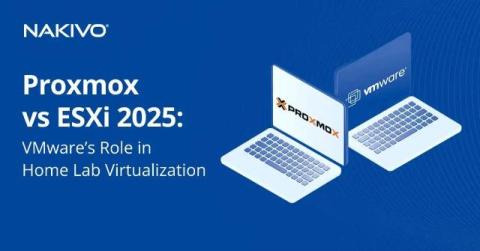
Proxmox vs ESXi 2025: VMware's Role in Home Lab Virtualization

VMware ESXi is a type-1 hypervisor in the VMware vSphere ecosystem used for hardware virtualization and running virtual machines. It is a top-grade virtualization solution widely used by organizations and in-home labs. After Broadcom acquired VMware, users started migrating from VMware ESXi/vSphere to Proxmox VE, an open-source and free virtualization solution. This post covers the Proxmox vs ESXi comparison to help you determine which virtualization solution better meets your needs.

A Complete Guide to EC2 Instance Backup: AWS Snapshots vs. AMIs

Amazon Web Services (AWS) provides two native options that can be used to back up AWS EC2 instances – AWS EBS Snapshots and Amazon Machine Images (AMIs). This blog post explains the differences between these two approaches to backup and explains when each method is optimal. NAKIVO for AWS EC2 Backup Backup of Amazon EC2 instances to EC2, AWS S3 and onsite. Anti-ransomware options. Fast recovery of instances and application objects. DISCOVER SOLUTION.

Practical Tips to Reduce AWS EC2 Backup and Storage Costs

Backing up data stored in AWS, such as EC2 instances, is essential to mitigate the risks of data loss events that can occur even in cloud environments. AWS cost optimization is a set of measures to save costs paid for AWS services related to data backup. These measures include preventing unnecessary data storage, optimizing storage and other practices. This blog post explains the nature of AWS pricing when backing up data.

How to Install the NAKIVO Solution as a VMware Virtual Appliance

You can choose to deploy the NAKIVO solution on physical Windows and Linux machines, virtual machines as a virtual appliance, NAS devices. The NAKIVO Backup & Replication preconfigured virtual appliances (VA) are available for both VMware vSphere and Nutanix AHV as well as for Amazon EC2 environments (as an AMI).

Backup ESXi Host Configuration: 4 Different Methods

Virtualization offers several advantages for backup and recovery operations, which are the backbone of data protection, operational continuity, and availability. Most importantly, virtualization makes agentless and image-based, host-level backups possible. These types of backups can capture the full VM, including VM configuration as well as VM data. However, it’s important to protect hosts too, as healthy ESXi hosts are important for VMs to run properly.

How to Migrate from VMware to Hyper-V

You may need to convert a VMware VM into a Hyper-V VM for different reasons. For example, you may have a multi-hypervisor environment, you may need to perform VMware to Hyper-V migration for testing, you want a more rational licensing model for certain software, etc. However, these two virtualization platforms have some key differences despite some similarities. Understanding the VMware to Hyper-V VM conversion process is important for a smooth and successful migration.

What Is Application-Aware Backup?

When it comes to backups, you have a wide range of options to consider for successful and fast data recovery. The options include type of backup, frequency, source, destination, and many others. Nowadays, it’s no longer enough for backup solutions to simply capture files on a disk given that most organizations use servers to run applications. “Inconsistent” file backups are not adequate for optimal recovery time objectives and recovery point objectives.