Security | Threat Detection | Cyberattacks | DevSecOps | Compliance

GitProtect 2.4.0: Complete QA Protection in Azure DevOps, FIPS-Compliant Encryption, and More

The new 2.4.0 release delivers complete protection for your entire Quality Assurance (QA) workloads in Azure DevOps. Teams on platforms hosted locally in Windows can now secure them with the AES encryption compliant with the federal, enterprise-grade FIPS standards. This release also packs other notable upgrades, including seamless Active Directory integration, a smarter repository exclusion mechanism, and full German language support. Dive into the full breakdown below.

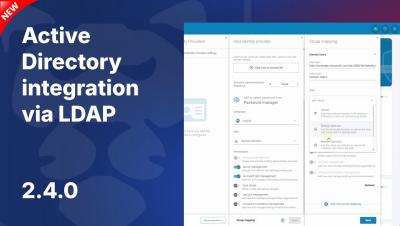
GitProtect.io & Active Directory Integration (LDAP) | User Management Automation

User management in GitProtect.io is becoming even simpler! In version 2.4, we introduced direct integration with Active Directory via the LDAP/LDAPS protocol. Streamline your administration and replicate your company's hierarchy in minutes. In this tutorial, you'll learn how to establish a secure AD connection, handle verification certificates, and map AD groups to corresponding roles inside the GitProtect.io console.

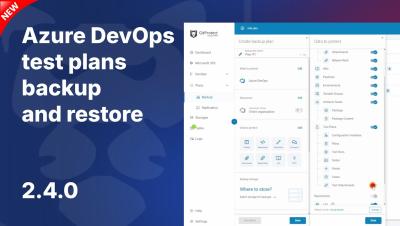
Backup Azure DevOps Test Plans w GitProtect.io | Ochrona QA i Test Suites

Zabezpiecz pełny cykl zapewnienia jakości w swoich projektach programistycznych! W wersji 2.4 GitProtect wprowadza wyczekiwaną funkcję: pełną kopię zapasową oraz odzyskiwanie planów testowych Azure DevOps Test Plans (w tym powiązanych zestawów testów — Test Suites). W tym wideo pokazujemy, jak łatwo dodać i skonfigurować plan ochrony dla Azure DevOps, zachowując przy tym pełną strukturę powiązań między przypadkami testowymi, konfiguracjami i historią ich wykonania.

6 Incidents that Prove DevOps in Healthcare Needs a Recovery Plan

Healthcare cybersecurity is usually discussed in terms of patient data and regulations like HIPAA. But software teams in healthcare need to protect the development layer with the same rigor. After an incident, teams need a trusted record of the codebase and the project context around it. Without this safeguard, they’re guessing at what changed and what’s safe to restore.

Why You Should Back Up Your Terraform Configuration Code

SUMMARY – If you lose your.tf files, your Infrastructure as Code (IaC) stays up, but becomes entirely unmanaged.– Having a backup saves your team from weeks of manually reverse-engineering code to hit your RTO.– Your automated deployments rely entirely on the IaC—if the code vanishes, your CI/CD instantly stalls.– The Git commit history is the exact proof you need to pass strict audits like NIS2, SOC 2, and ISO 27001.– Setting up a dedicated Terraform backup means you c