See how NAKIVO brings clarity and control to Amazon EC2 data protection: fast agentless backups, layered security, flexible retention and instant recovery across your AWS environment.
This video shows you how to create replicas of Microsoft Hyper-V virtual machines in NAKIVO Backup & Replication. You can use the replicas for failover and disaster recovery during a failure to achieve short RTOs.
With NAKIVO Backup & Replication, you can store immutable and encrypted backups in cloud storage repositories to ensure data availability and recoverability. Watch this video to learn how to create a backup repository in Wasabi Cloud Storage.
VMware offers a wide range of products, and understanding their different use cases may be overwhelming. In this blog post, we cover the differences between three commonly used technologies in VMware environments: It’s important to note that any ESXi vs. vSphere vs. vCenter comparison should start with a caveat: these technologies are complementary rather than substitutes for one another. NAKIVO for VMware vSphere Backup Complete data protection for VMware vSphere VMs and instant recovery options.
The VMware virtual machine disks consolidation is needed error usually appears when snapshots fail to merge correctly with the main virtual disk. This problem often occurs after incomplete backups, canceled snapshot deletions, or low storage space. Left unresolved, it can slow down your VM or even risk data corruption. Read this blog to learn why the virtual machine consolidation needed status occurs and how to resolve it safely.
VMware is a market leader in virtualization solutions, and VMware ESXi is a renowned type 1 hypervisor. Increasingly, individual users and organizations are deploying ESXi servers in their environments to run virtual machines. An ESXi hypervisor is provided as part of VMware vSphere, which, in turn, comes with different licensing options for each edition. Each VMware vSphere edition has its own price, but VMware also provides a free version of ESXi.
In November 2024, Microsoft announced that multi-factor authentication (MFA) would become mandatory for all administrator accounts across Microsoft 365 (formerly Office 365), Azure, and Intune. Starting in 2025, admins without MFA enabled will no longer be able to access Microsoft’s admin portals. This rollout is happening in phases at the tenant level, and administrators who haven’t yet configured MFA will need to update their settings to stay compliant.
Protecting your most critical services in a datacenter requires more than just regular backups — this demands replication to ensure minimal data loss and downtime in case of a failure. Virtual machines offer a significant advantage over physical servers by simplifying this process. In this blog post, we’ll explore the benefits of real-time replication for virtual machines, covering its principles, key use cases, and how to configure it effectively, with a focus on VMware vSphere.
The new release adds support for 5 new languages, extends Proxmox VE backup and recovery capabilities, introduces automated real-time replication, improves MSP Direct Connect, and delivers granular backups for physical machines.
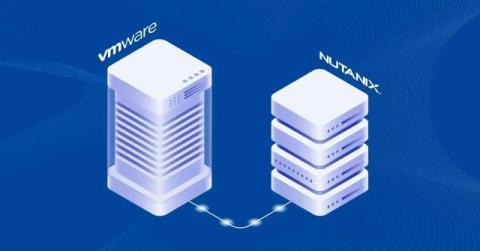
Nutanix is a hyper-converged virtualization platform for running virtual machines. It can be used as an additional infrastructure or an alternative to VMware vSphere and Microsoft Hyper-V.For more information, you can read this VMware vs Nutanix comparison. You can migrate VMware virtual machines (VMs) from ESXi hosts and clusters to a Nutanix cluster. Read this VMware to Nutanix migration guide to learn how to configure the migration properly.