The latest News and Information on Security Incident and Event Management.
Effective logging of events and activities in an organization’s technical infrastructure exponentially boosts the capabilities of its SIEM solution. In this article, we explore how logs are leveraged in a SIEM solution. First off, log entries can be helpful for multiple purposes such as security, performance analysis, troubleshooting, etc. Considering the size of a modern enterprise’s IT technical infrastructure, monitoring the network alone is not a favorable approach.
Many organizations don’t rely on outsourced security solutions such as MSSP. Rather, they prefer building their own SOC to combat nefarious cybersecurity threats and attacks. However, it is vital to know how an effective SOC is built and what should be its essential security ingredients.
In the last article, we talked about the top 5 SIEM reports and how you can generate them on the Logsign SIEM platform. We covered reports related to user accounts, file access, user/group changes, threats, and attacks. This article will show how you can effectively use the Logsign SIEM platform along the lines of the most popular use cases. A use case is defined as a series of actions or events between a system and a user that achieve a particular goal.
At Logsign, we believe that every one of our clients faces a unique set of threats. There can be overlapping; however, it would be highly rare that two organizations face the same set of threats. Accordingly, when you are using a SIEM solution like Logsign SIEM, there will be use cases that are more important to your business than others. If you have used a SIEM tool previously, you know that a SIEM is a powerful tool to identify the smallest of threats in your entire technical infrastructure.
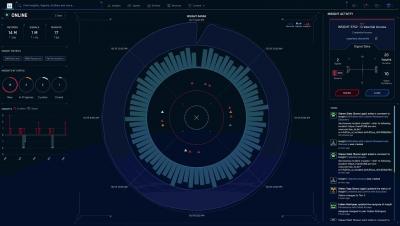
Since February, when we launched Devo Security Operations, the industry’s first cloud-native next-gen SIEM, we’ve kept our foot firmly pressed on the development pedal to add features and enhancements. Security Operations enables customers to transform their security operations centers (SOC) and protect their enterprises against cyberthreats.
While threats continue to evolve every day, modern-day businesses cannot remain in oblivion and wait for the attackers to exploit a vulnerability or disrupt their business operations. Logsign experts recommend that businesses should be proactive while dealing with their cybersecurity. As a proactive measure, many of our clients have implemented Logsign SIEM solution to get a single-point view of their organization’s security posture.
Security Information and Event Management (SIEM) helps organizations in collecting, correlating, and analyzing log data from a wide range of systems connected to their IT infrastructure. Based on the results, a SIEM solution assists an organization in detecting threats and suspicious activity on their IT infrastructure. If you are already using a SIEM platform such as Logsign, you would know the importance of SIEM reports.
Whether you are a CIO or chief executive of your company, the headlines of cybersecurity threats and attacks might be worrisome for you. There is always a question about how to ensure the cybersecurity of the organization to avoid financial, compliance and reputational risks. Today, to deal with ever-growing, fast, and sophisticated cybersecurity threats and attacks, enterprises either find the correct MSSP (Managed Security Service Provider) or build an efficient SOC (Security Operation Center).
Dashboards are an integral part of a SIEM solution as they help you in visualizing the security of your organization’s technical infrastructure in real-time. In our last article, we discussed in detail about the pre-configured dashboards on Logsign SIEM and the information they present for your security team. From threat intelligence to identity management, what types of dashboards are available under each category.