Security | Threat Detection | Cyberattacks | DevSecOps | Compliance

OneLogin SAML Single Sign-On (SSO) | Log into Joomla using OneLogin

Learn how to set up OneLogin SAML Single Sign-On (SSO) with your Joomla website using our Joomla SAML SP extension. This tutorial guides you through the process of configuring SSO between your Joomla site and OneLogin, allowing users to log into Joomla using their OneLogin credentials. Timestamps: Contact us at joomlasupport@xecurify.com if you have any queries.

Entra ID OAuth Single Sign-On (SSO) | Log into Joomla using Entra ID as OAuth Client

Learn how to set up Entra ID OAuth Single Sign-On (SSO) with your Joomla website using our Joomla OAuth Client extension. This tutorial guides you through the process of configuring SSO between your Joomla site and Entra ID, allowing users to log into Joomla with their Entra ID credentials using the OAuth protocol. Timestamps: Contact us at joomlasupport@xecurify.com if you have any queries.

Bootstrapped, Battled, and Built The Rise of miniOrange

What does it take to quit a stable job, reject an overseas offer, and start from zero, all for a dream? In this powerful conversation, �������������� ����������������, Founder and CEO of miniOrange, shares his raw, real, and remarkable journey: Whether you're an aspiring founder, a cybersecurity professional, or someone looking for purpose, this is a must-watch.

The Dark Side of AI: What Every Business Should Know?

Did you know? AI tools like ChatGPT, Bard, and Copilot are now being used with business platforms like Microsoft 365, Slack, and Zoom — often without your IT team even knowing! ���� �������� ����������, ����’���� ����������: ��������������������: If you're an IT admin, cybersecurity professional, or just someone curious about the intersection of AI and cybersecurity, this video will help you understand the risks and how to stay one step ahead.

Let Users Reset their Own Passwords with SSPR

The miniOrange Self-Service Password Reset system enables users to handle their password security independently, which decreases helpdesk requests and enhances operational efficiency. The solution provides strong multi-factor authentication alongside customizable policies and effortless integration with Active Directory and LDAP. The solution serves thousands of organizations through its user-friendly interface, complete audit logs, and 24/7 expert support for streamlined password management.

Drupal Single Sign On - Okta as IDP

This video will walk you through the steps required to configure Okta as an Identity Provider and Drupal as a Service Provider. The module allows users to log in to the Drupal site using their Okta account. Chapters: Don't forget to subscribe to our channel and click on a bell icon to get notifications about new uploads.

Drupal Single Sign On - Okta as OAuth Provider

This video will walk you through the steps required to configure Okta as OAuth Provider and Drupal as OAuth Client. The module allows users to log in to the Drupal site using their Okta credentials. Chapters: Don't forget to subscribe to our channel and click on a bell icon to get notifications about new uploads.

Drupal Single Sign On - Microsoft Entra ID as OAuth Provider

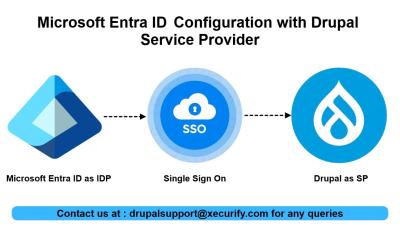
This video will walk you through the steps required to configure Microsoft Entra ID as OAuth Provider and Drupal as OAuth Client. The module allows users to log in to the Drupal site using their Microsoft Entra ID credentials. Chapters: Don't forget to subscribe to our channel and click on a bell icon to get notifications about new uploads.

How to setup the OTP Verification plugin with WS Contact form?

OTP Verification Plugin validates users' email addresses or mobile numbers by sending a unique verification code (OTP) before form submission. By confirming the authenticity and accessibility of the provided contact details, this plugin effectively prevents fake leads. In this video, we'll walk you through the step-by-step process of using the miniOrange OTP Verification plugin with the WS Contact form. Get verified lead generation in WS Form using the OTP Verification plugin, ensuring verified user submissions.