
The Definitive Guide to Comparing Online Conference Meeting Platforms

What separates a meeting from a webinar?
Collaborative meetings where everyone can speak
An online meeting is a cloud-based conference that allows two or more people to connect and collaborate remotely. Unlike a simple phone call, these meetings are designed for active participation. Everyone in the room—or on the screen—has the ability to speak, share their screen, and influence the outcome of the discussion. These sessions are perfect for team syncs, brainstorming, or client negotiations where decision-making is the primary goal.
One-to-many broadcasts and training sessions
A webinar is a different animal. It is a presenter-led broadcast intended for large groups of invited attendees. In this format, the organizer controls the audio and video, while attendees act primarily as listeners. Webinars are the standard choice for company-wide town halls, product launches, or educational training sessions. If your goal is to share information with a large audience rather than spark a two-way debate, a webinar format is likely the better fit.
Audio, video and web formats explained
The term "web conferencing" is often used as an umbrella for all these tools. Audio conferencing is best for brief, voice-only check-ins. Video conferencing adds the visual layer necessary for longer, more complex meetings. Web conferencing specifically refers to solutions that include screen sharing as a core feature.
|
Feature |
Collaborative Meeting |
Webinar |
|---|---|---|
|
Participation |
Everyone speaks |
Presenter-led |
|
Audience Size |
Small to medium |
Large to massive |
|
Interaction |
High (discussion) |
Low (Q&A/Polls) |
|
Primary Goal |
Collaboration |
Information sharing |
Core features to compare before you commit
Audio, video and sharing quality
High-definition audio and video are now the baseline for professional communication. Look for platforms that offer built-in noise suppression, which filters out background sounds like typing or traffic. Features like virtual or blurred backgrounds also help maintain privacy in home offices. For collaboration, prioritize screen sharing that allows for real-time annotation and whiteboarding. The ability to record the session for those who cannot attend is also a standard requirement for most teams.
Collaboration and workflow tools
A great platform keeps the conversation going before and after the call. Look for features like in-session chat, polls, and hand-raising tools that keep engagement high without interrupting the speaker. Calendar integration is vital; it allows you to attach agendas and pre-reads to the invite so everyone shows up prepared. Post-meeting, the ability to share recordings, notes, and continuous chat threads helps ensure that action items are not forgotten.
Access, devices and guest joining
The best platforms make it easy for external guests to join without needing to download software or create an account. A browser-based join link is the gold standard here. Your team should also be able to switch devices seamlessly—moving from a laptop to a phone or a meeting room system without dropping the call. For those in areas with unstable internet, a dial-in phone number is a necessary backup to ensure they stay connected.

Scale, pricing models and AI assistance
Participant limits and duration
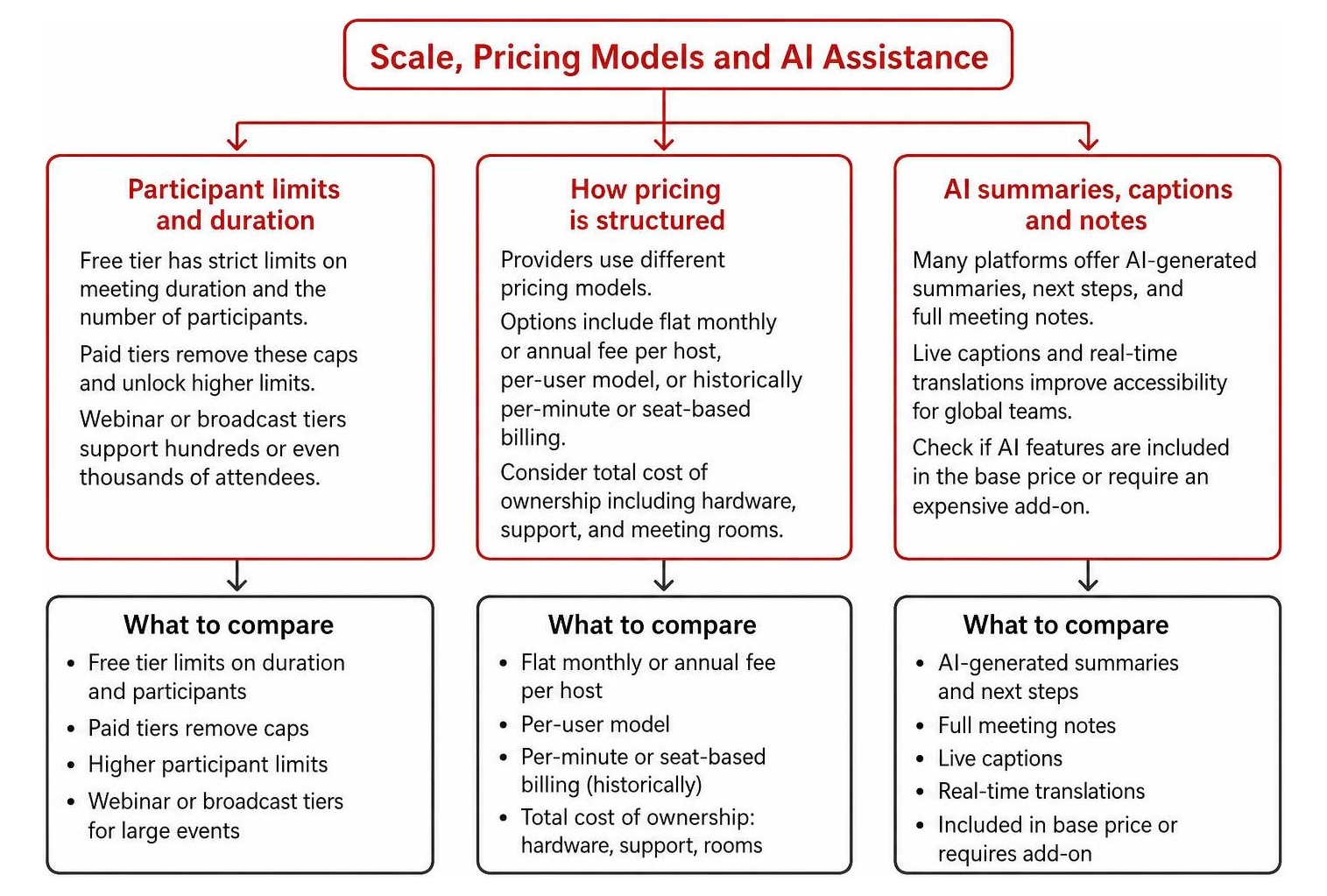
Most providers offer a free tier, but these often come with strict limits on how long a meeting can last and how many people can join. Paid tiers generally remove these caps and unlock higher participant limits. If you are hosting massive events, you will need to look for specific webinar or broadcast tiers that support hundreds or even thousands of attendees.
How pricing is structured
Pricing models vary significantly. Some providers charge a flat monthly or annual fee per host, while others use a per-user model. Historically, some web conferencing services used per-minute or seat-based billing. When calculating your budget, do not just look at the software subscription. Consider the total cost of ownership, which includes necessary hardware, technical support, and the cost of outfitting physical meeting rooms.
AI summaries, captions and notes
AI has changed how we handle meeting follow-ups. Many platforms now offer AI-generated summaries, lists of next steps, and full meeting notes at the end of a call. Live captions and real-time translations are also becoming common, which significantly improves accessibility for global teams. Before choosing a plan, check if these AI features are included in the base price or if they require an expensive add-on.
Security and privacy checks that matter
Encryption and meeting controls
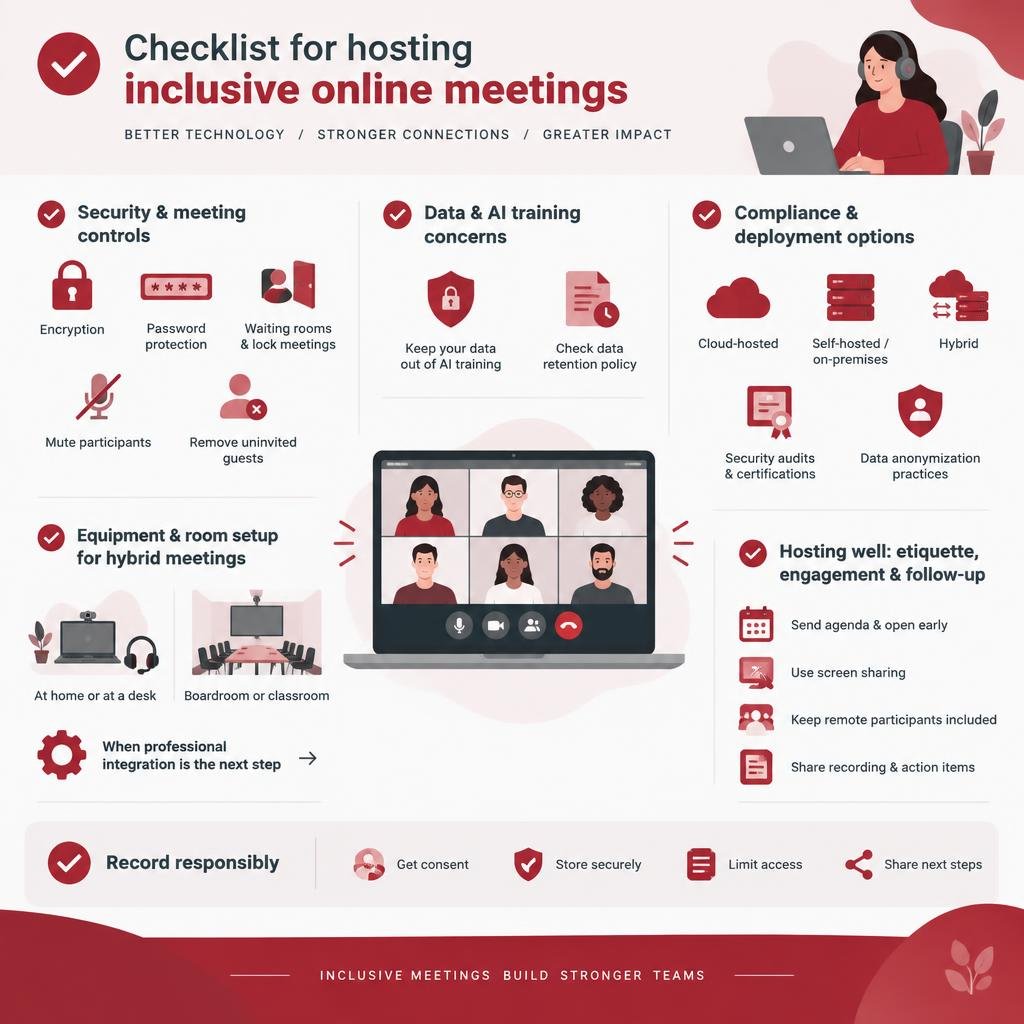
Security starts with encryption. Look for end-to-end encryption, which ensures that only the participants can access the content of the call. Beyond encryption, you need robust meeting controls. Features like password protection, waiting rooms, and the ability to lock a meeting prevent uninvited guests from joining. Hosts should also have the power to mute participants or remove them if necessary.
Data handling and AI training concerns
You should be aware of what happens to your meeting data. Some platforms use the content of your calls to train their AI models. If your business discusses sensitive information, you need to verify that your provider does not use your data for this purpose. Always check the provider’s data retention policy to see how long your recordings and transcripts are stored.
Compliance and deployment options
For large organizations, deployment options are key. You might choose a cloud-hosted service, or you may require self-hosted software or on-premises hardware for extra security. Some providers offer hybrid deployments that allow for better bandwidth management and survivability. Always ask vendors about their security audits, certifications, and how they handle personal data anonymization.
Equipment and room setup for hybrid meetings
What you need at home or at a desk
At a minimum, you need an internet-connected device and a reliable app. A dedicated webcam and a high-quality headset are significant upgrades over built-in laptop microphones and cameras. Proper lighting—ideally facing you—and a quiet, clutter-free space will make you look and sound professional. Always test your audio and video a few minutes before the meeting starts.
What a boardroom or classroom needs
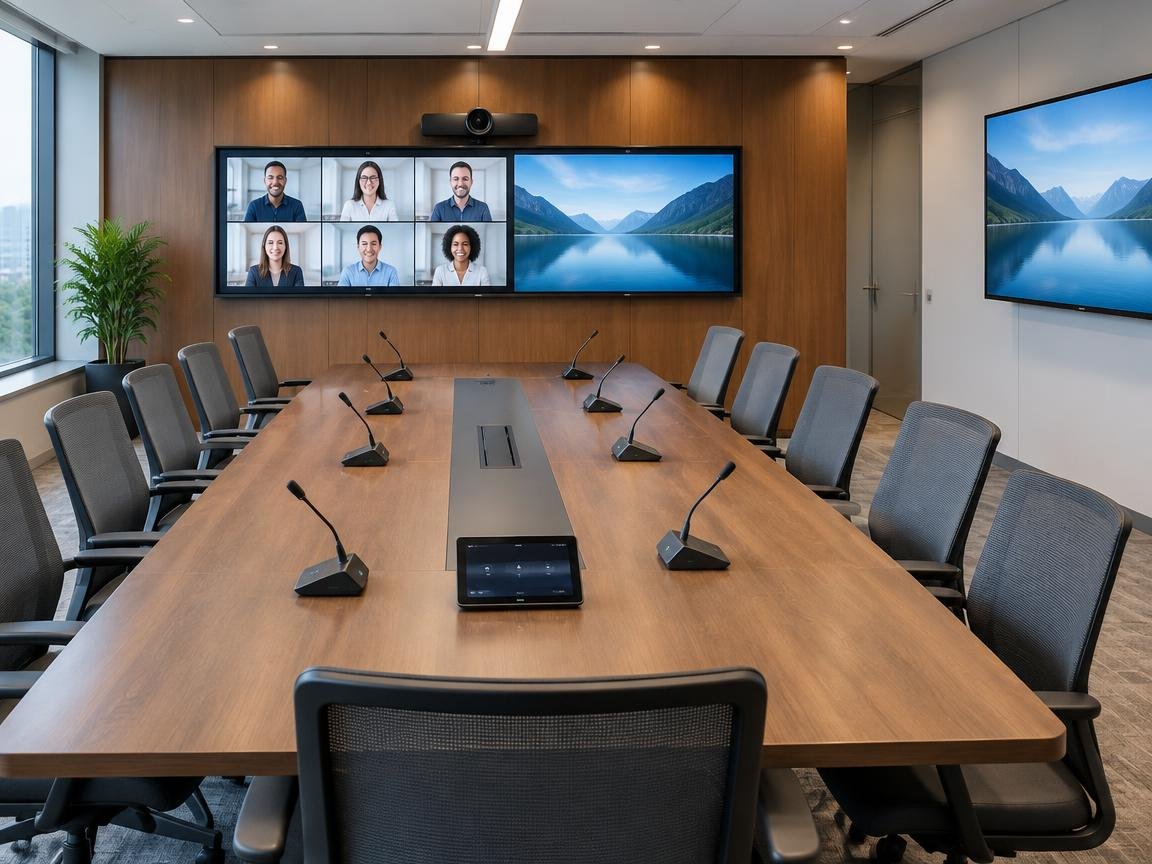
Professional meeting rooms require more than just a laptop on a table. You need high-quality room cameras, ceiling or table microphones, and speakers that cover the entire space. Displays should be large enough for everyone to see, and camera framing technology can help remote participants feel like they are truly in the room. Acoustic treatment and a stable, high-speed network are also critical to avoid lag and echoes.
When professional integration becomes the next step
Software alone cannot solve every physical meeting room challenge. If you are rolling out technology across multiple rooms, or if you are struggling with poor audio and complex AV setups, you have outgrown DIY solutions. This is the moment to consult an expert. Organizations that need a professional online conference meeting space designed, installed, and supported end-to-end should reach out to online conference meeting. A specialist can provide the scalable, cost-conscious integration required for corporate, government, education, and entertainment environments.
Hosting well: etiquette, engagement and follow-up
Before, during and after the meeting
Preparation is the key to a good meeting. Always send an agenda in advance and open the room early to troubleshoot any technical issues. During the meeting, use screen sharing to keep everyone focused on the same content. After the meeting, share the recording and a clear summary of action items so that those who could not attend remain informed.
Keeping remote participants included
Inclusion is a conscious effort. Use chat, reactions, and hand-raising features to ensure everyone has a chance to contribute without feeling like they have to shout over others. Turning cameras on helps pick up nonverbal cues that are often lost in virtual settings. For larger groups, use breakout rooms to facilitate smaller, more focused discussions.
Recording and sharing responsibly
Always obtain consent before you start recording. State clearly that the meeting is being recorded and explain how the transcript or video will be used. Store these files in a secure location with limited access permissions. Distribute the final notes and next steps promptly to keep the project momentum going.
Final thoughts
Choosing an online conference meeting platform is about finding the right balance between features, security, and cost. Do not rely solely on marketing brochures. Create a shortlist of providers and trial them with a real team meeting. Pay close attention to how easy it is for guests to join, the quality of the audio and video, and how well the tool integrates with the software you already use. By focusing on these practical criteria, you can build a virtual environment that supports your team’s success in 2026 and beyond.