Security | Threat Detection | Cyberattacks | DevSecOps | Compliance

The Latest Cybersecurity News & Insights From Around The World

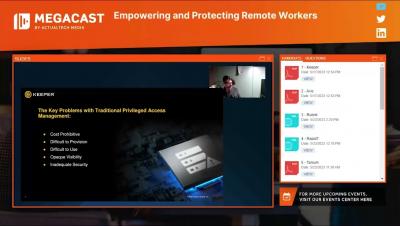

Keeper for Teams and Small Business 3 Minute Demo
Introduction Keeper eliminates the pain of having to remember passwords while protecting your business from password-related data breaches and cyberthreats. Keeper stores and protects your website passwords, financial information and other sensitive documents in an encrypted vault. Keeper can generate unique, secure passwords for you that you can unlock with a single Master Password. Keeper makes it easy to login to websites without having to remember passwords ever again.

Cybersecurity Girl's tips for a strong password #shorts
Cybersecurity Girl Caitlin Sirian offers a few tips for creating strong, unique passwords that will protect your privacy. #shorts #techtip #cybersecurity


End-User Vault for Business & Enterprise
When you provide Keeper to your employees, they have the choice of using the Keeper Web Vault, the“KeeperFill” Browser Extension, Keeper Desktop App for Windows, Mac and Linux and our mobile app for iOS and Android. Vault data is synchronized across all platforms, so your users can access their data in any of these Keeper applications. Users can login to Keeper using biometrics like Face ID, or by entering a Master Password - which is the only password they will have to remember.

Cybersecurity Girl offers 3 ways to protect your accounts #shorts
Neglected accounts are prime targets for cybercrime. Cybersecurity Girl Caitlin Sarian explains three simple steps you can take to protect your accounts today. #cybersecurity #techtips #cybercrime #shorts
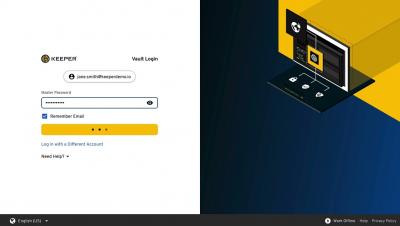
Vault Recovery Phrase
Keeper maintains the most security certifications in the industry and is committed to continually evolving our security methods in order to protect your data. As a result, we are upgrading our account recovery system with a new recovery phrase method. A recovery phrase is a simple, auto-generated set of 24-words that can be used to restore access to your Keeper Vault in the event you forget your Master Password.
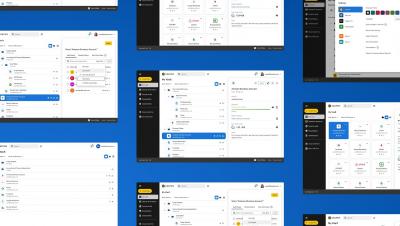
Introducing Keeper's UI Refresh
The Keeper you know and love is getting a fresh, updated look, with a friendlier, accessible and more intuitive experience. Keeper’s new user interface offers clearer distinctions between elements as well as enhanced clarity and navigation – all improving usability in order for our users to take full advantage of Keeper’s powerful features.
Keeper 101 - Emergency Access
Keeper’s Emergency Access feature allows users to give trusted family and friends access to their Keeper Vault in the event of an emergency or loss of life. You can designate up to five emergency contacts and decide how much time should pass before their access is granted. Please note, this feature is only available for consumer accounts.