
Many New Technologies, Products, and Tools for Modern Protection Programs in New York, New Jersey, and Florida
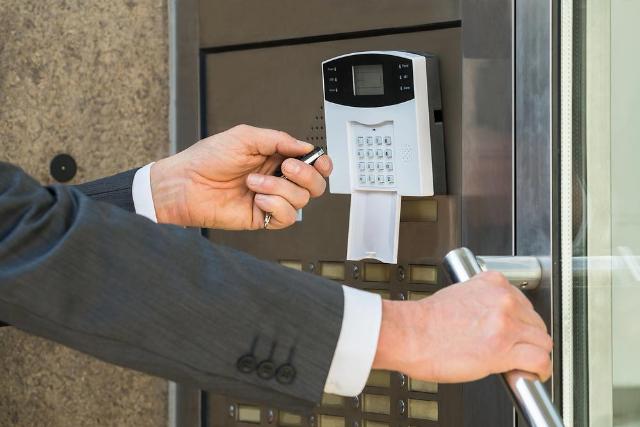
Image Source: depositphotos.com
A lot of buyers still start with the most visible layer of protection: cameras, guards, or a front desk presence. The real gap usually sits behind that first impression. If doors, credentials, visitor flow, and response routines are loose, the rest of the program ends up documenting problems instead of preventing them.
That is why many new technologies, products, and tools matter most when they are tied to daily execution. In commercial, residential, and institutional settings across New York, New Jersey, and Florida, the question is rarely whether a system looks modern. The question is whether it can handle repeat visitors, deliveries, staff turnover, vendor access, and after-hours movement without creating more confusion than control.
This matters especially in properties where the front desk or lobby has to do real work, not just greet people. A tool that speeds check-ins, verifies identities, or helps a guard compare a face, name, and credential can improve flow without lowering standards. The best upgrades support the people already on site instead of forcing them to improvise every time traffic changes.
Why modern protection programs keep changing
Security programs used to rely on a simple formula: add more presence, add more hardware, and assume the result would be stronger control. That approach breaks down quickly in buildings with multiple entry points, different user groups, or steady traffic throughout the day. New technologies and tools are being adopted because the old model leaves too much to chance.
For a business, property manager, or institutional operator, the issue is accountability. If someone should have entered a space, there needs to be a record. If someone should not have entered, there needs to be a fast way to challenge or stop it. Better tools do not replace judgment, but they give the people on site more accurate information and less room for guesswork.
The stakes are practical. In a New York office tower, a New Jersey residential property, or a Florida mixed-use site, one missed delivery, one unverified vendor, or one poorly logged visitor can slow the whole day. Modern tools are valuable because they help staff keep pace with the building’s movement rather than react to it after the fact.
What deserves attention before you buy
Most failed upgrades do not fail because the product is useless. They fail because the fit is wrong, the process is unclear, or the people expected to use it were never trained for the change. A good purchase decision starts with the property, not the product demo.
Fit the tool to the traffic pattern:
A lobby with scheduled office staff behaves differently from a residential tower with guests, service vendors, and late-night arrivals. The same is true for campuses, warehouses, medical facilities, and mixed-use properties. New tools should be judged against actual movement patterns, not brochure language.
Look at the points where friction shows up most often: guest check-in, badge issuance, temporary access, package handling, and contractor entry. If a product slows those choke points without improving control, it may be the wrong product for that building.
In practice, the busiest properties need tools that can adapt to changing conditions. A system that works well during a quiet morning may fail when deliveries stack up, a tenant event ends, or multiple vendors arrive at once. That is why testing the technology against real entry patterns is more useful than assuming it will scale automatically.
Integration matters more than novelty:
Many modern systems promise convenience, but convenience is only useful if the pieces talk to each other. Access credentials, visitor logs, alarm response, video review, and front-desk procedures should not operate like separate islands.
Useful tools usually reduce duplication. They make it easier to confirm who entered, when they entered, and whether the event needs follow-up. When systems are disconnected, staff waste time checking multiple screens and still miss the larger pattern.
The strongest setups are the ones that give supervisors a usable picture of the day without forcing them to chase details across different platforms. For a site with rotating shifts or several entrances, that kind of integration can save time while improving consistency.
- Credential handoff should be simple enough for daily staff use.
- Visitor records should be usable after the visitor leaves.
- Alerts should lead to action, not just another notification.
Do not confuse more features with more control:
A common mistake is buying the most feature-rich system and assuming complexity equals strength. In practice, complexity often shifts the burden onto the people who must run the building every day. If the process is clumsy, staff find workarounds, and workarounds create holes.
The uncomfortable trade-off is that the cleanest system on paper may be less useful than a simpler one that front-line teams actually follow. Consistency is usually the better security feature.
This is especially true in environments where different users interact with the same front desk. Residents, guests, contractors, couriers, and staff all expect quick service. If the tool is too hard to use, the site ends up with slower lines, weaker compliance, and more opportunities for mistakes.
How to put the right tools to work
Once the service model is clear, the next step is to test the system against real operations. That means thinking less about what the technology can do in theory and more about what it will do at 8:15 a.m., during deliveries, during shift changes, and after hours.
The goal is to make sure the people using the tools can keep pace with the property. A good system supports the guard, concierge, or site manager without forcing them to pause every routine interaction for a manual check. At that point, many teams begin comparing access control systems based on how they actually perform day to day.
- Map the entry points and the people who use them most often. Separate staff, residents, guests, contractors, vendors, and emergency access so each category has a clear path.
- Decide which events must be logged, reviewed, or escalated. Not every entry needs the same treatment, but the system should make exceptions visible instead of burying them.
- Train the people who will use the tools under pressure. A front-desk operator, site supervisor, or facility manager should be able to act without searching for a workaround.
- Test the workflow during realistic periods of activity, such as delivery windows, shift changes, and visitor rushes, so you can see where delays or confusion appear.
- Review the first few weeks of use closely and adjust procedures before bad habits become standard practice. Small refinements early on usually prevent larger control problems later.
What the better programs get right
The strongest protection programs usually look less glamorous than people expect. They are built around repetition, clear assignment of responsibility, and tools that fit the daily pace of the property. The equipment matters, but the operating discipline matters more. If the process is sound, modern tools sharpen it. If the process is weak, the same tools simply reveal the weakness faster.
In New York, New Jersey, and Florida, where building use can shift from one hour to the next, that distinction matters. A property that handles office staff in the morning, visitors at midday, and service traffic in the afternoon needs a system that can keep up without becoming a bottleneck. The point is not to make access difficult for everyone. It is to make the right access easy to verify and the wrong access hard to miss.
The more advanced the tools become, the more valuable simple discipline gets. Clear handoffs, clean logs, consistent screening, and predictable escalation create the framework that gives new products real value. That is why the best programs combine technology with human awareness instead of treating one as a substitute for the other.
A practical standard for the next upgrade
Many new technologies, products, and tools are worth considering, but only if they improve how the site is actually run. The best choice is rarely the flashiest one. It is the one that supports accountability, works with existing staff habits, and holds up when the building is busy.
For organizations in New York, New Jersey, and Florida, that means judging each option by what it does for daily control, not by how modern it sounds in a sales meeting. Protection programs improve when the system fits the property, the people, and the pace of real life. That is where they earn their place: not as a headline feature, but as a working part of the security program.
The right upgrade should make front-line decisions faster, not harder. If it helps a lobby team verify visitors, coordinate deliveries, and maintain a steady flow during peak periods, it is doing real work. That is the standard that should guide the next investment in modern protection.