
7 AI Video Tools Security Teams Are Using for Training and Awareness Campaigns

Image Source: depositphotos.com
Security awareness isn't just about policies and procedures anymore. Modern security teams know that engaging visual content dramatically improves message retention and behaviour change among employees.
The challenge has always been production. Creating professional training videos and awareness content traditionally required budgets and expertise most security departments don't have. Static presentations and wall-of-text emails get ignored, but quality alternatives seemed out of reach.
AI video tools have changed the equation entirely. Security professionals can now produce compelling visual content without design backgrounds or video production experience. Phishing simulations, policy updates, incident briefings, and awareness campaigns all become more effective with motion.
Here are the AI tools security teams are using to level up their communication and training efforts.
1. Getimg.ai (Best for Visual Content Transformation)
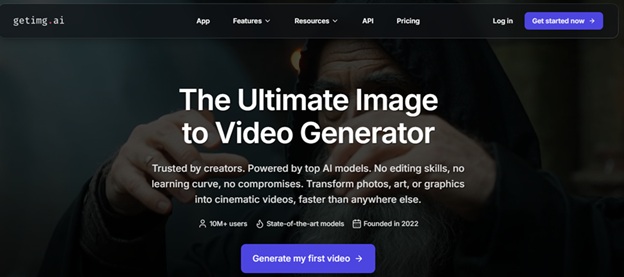
Security teams often have existing visual assets that could work harder. Diagrams, infographics, threat illustrations, and policy graphics sit static when they could capture far more attention as video. Getimg.ai lets you convert image to AI video effortlessly, transforming those existing assets into dynamic content.
The practical applications for security awareness are immediately obvious. That phishing warning infographic becomes an animated piece employees actually watch. The network security diagram gains movement that guides viewers through the information. The incident response flowchart comes alive in ways static images simply can't match.
For security teams sitting on libraries of existing training materials, this capability multiplies the value of past work. Every static asset represents potential video content without requiring new design or original creation.
The process is straightforward enough for non-technical security professionals. Upload your image, describe the motion you want, and the AI produces natural, fluid video. No timeline editing, no rendering queues, no production expertise required.
Output quality holds up for professional use. Training portals, internal communications, security briefings, and awareness campaigns all benefit from the polished results. The content looks intentional and professional rather than obviously automated.
Processing speed keeps pace with security communication needs. When a new threat emerges and you need awareness content quickly, waiting days for production isn't acceptable. Getimg.ai delivers results fast enough to respond to evolving situations.
Best for: Transforming existing security graphics, diagrams, and infographics into engaging video content for training and awareness programmes.
2. Opus Pro (Best for Branded Security Communications)
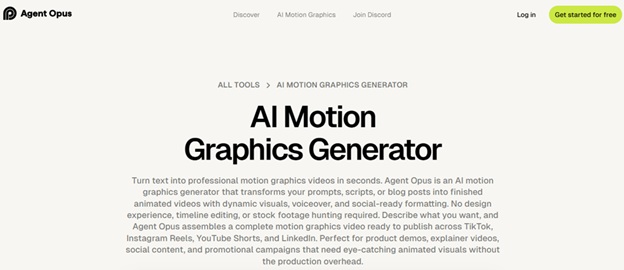
When security teams need polished, branded motion graphics for official communications, Opus Pro delivers professional results. Their motion graphics ai capabilities create sophisticated animated content that represents the organisation appropriately.
Security awareness campaigns require credibility. Employees need to take the content seriously, which means production quality matters. Opus Pro generates motion graphics that look like they came from a professional studio, lending authority to security messaging.
The platform excels at text-heavy content that security communications often require. Policy highlights, procedure summaries, and compliance reminders all benefit from kinetic typography and animated emphasis. Information that would be skimmed in an email gets watched when presented as motion graphics.
Brand consistency comes built in. Set your corporate colours, fonts, and style guidelines, and every piece of security content maintains alignment. This matters for organisations where security communications must reflect official branding standards.
The workflow efficiency transforms what security teams can produce. Monthly awareness campaigns, quarterly training refreshers, and ad-hoc threat alerts all become feasible to produce in-house. No more waiting on design teams or external agencies when security messaging is time-sensitive.
Multi-format output serves different communication channels. The same core message adapts to intranet videos, email headers, digital signage, and training portal content. Security awareness reaches employees wherever they are.
Best for: Creating professional branded motion graphics for official security communications, policy announcements, and corporate awareness campaigns.
3. Synthesia
Synthesia creates AI avatar videos, generating realistic presenters from scripts alone. For security training, this means producing talking-head content without filming anyone.
The technology suits compliance training and security onboarding particularly well. Consistent messaging delivered by a professional presenter, available in dozens of languages for global organisations.
Updating content becomes simple when no one needs to be re-filmed. Policy changes mean script updates rather than production reshoots.
Best for: Presenter-style security training videos and multilingual compliance content.
4. Lumen5
Lumen5 converts written content into video automatically. Security teams with existing policy documents and awareness articles can transform them into shareable video summaries.
The template-driven approach ensures professional output without design decisions. Paste your security bulletin, and the platform generates a video hitting the key points.
For teams producing regular security newsletters or updates, the systematic approach streamlines repurposing.
Best for: Converting written security policies and bulletins into video format efficiently.
5. Canva Animate
Canva's animation features bring simple motion to their accessible design platform. Security teams already using Canva for graphics can add basic animation without learning new software.
The ease of use makes quick animated content accessible to anyone. Simple awareness graphics gain motion that improves engagement without significant additional effort.
The integration with Canva's broader design ecosystem keeps assets organised and consistent.
Best for: Teams already using Canva who want to add simple animation to existing workflows.

6. Biteable
Biteable offers template-based video creation focused on business use cases. Their library includes templates suitable for corporate training and internal communications.
The straightforward interface produces polished results quickly. Security teams without video experience can create professional-looking awareness content.
Stock footage integration expands creative options for teams without original video assets.
Best for: Template-based security awareness videos for teams wanting proven formats.
7. Kapwing
Kapwing provides browser-based video editing with AI-assisted features. The collaborative capabilities suit security teams working across locations.
No software installation means IT approval headaches disappear. The browser-based approach works across devices and operating systems.
Recent AI additions have expanded capabilities beyond basic editing into more sophisticated content creation.
Best for: Collaborative video editing for distributed security teams without software installation requirements.
Why Video Matters for Security Awareness
Static content fails to change behaviour. Understanding why helps justify investment in video capabilities.
Attention capture improves dramatically. Employees scroll past static emails and ignore posted policies. Motion stops the scroll and earns the attention that precedes comprehension.
Retention increases significantly. Information presented with visual reinforcement sticks better than text alone. Security procedures explained through animation become memorable rather than forgettable.
Engagement metrics demonstrate value. Video completion rates provide concrete data on awareness campaign reach. Unlike emails where opens mean little, video views indicate actual exposure to security messaging.
Modern workforce expectations demand it. Employees consume video content constantly outside work. Security communications competing for attention must match the format expectations people bring from their personal media consumption.
Complex concepts become accessible. Attack vectors, security protocols, and incident response procedures involve complexity that video explains more effectively than documents. Visual demonstrations clarify what text struggles to convey.
Choosing Between Approaches
The two leading tools serve complementary purposes. Understanding the distinction helps you choose the right approach.
Image-to-video tools like Getimg.ai shine when you have existing visual assets to enhance. Diagrams, infographics, and graphics gain motion that increases engagement. The output feels organic and informative.
Motion graphics generators like Opus Pro excel when you need designed, branded content. Official communications, campaign materials, and corporate messaging benefit from polished, intentional animation.
Many security teams use both approaches. Transform existing training graphics with image-to-video tools; create new branded campaigns with motion graphics generators. The capabilities complement rather than compete.
Getting Started
Begin with your highest-impact security content. Which awareness messages most need improved engagement? Those deserve video enhancement first.
Audit existing visual assets. Security diagrams, process graphics, and training illustrations represent immediate opportunities for transformation into video.
Establish brand guidelines for security content early. Consistency across video communications maintains professional credibility.
Track engagement differences. Compare completion rates on video versus static versions of similar security content. The data guides future investment.
Start small, learn the tools, then scale. Early experiments build familiarity that enables efficient production as you expand video content creation.
The Bottom Line
Security awareness effectiveness depends on reaching employees with messages that stick. Video content consistently outperforms static alternatives for attention, retention, and behaviour change.
AI tools have made video production accessible to security teams without design backgrounds or production budgets. Professional-quality awareness content no longer requires outsourcing or specialised hires.
Getimg.ai and Opus Pro lead their respective categories, each excelling at different content types. The alternatives serve specific needs from AI presenters to template-based production.
Your security messaging deserves better than ignored emails and unread policies. The tools to create engaging video content are available and accessible.
Pick one. Start creating. Your employees will actually watch what you produce.