
Security | Threat Detection | Cyberattacks | DevSecOps | Compliance

Browse a backup target on OpenShift | Trilio for Kubernetes

Turn on target browsing in Trilio for Kubernetes and look inside a backup target on OpenShift: the backup plans, backups and snapshots it holds. You will: Chapters Check that browsing is on (read-only): oc get targets.triliovault.trilio.io -A -o custom-columns=NAMESPACE:.metadata.namespace,NAME:.metadata.name,BROWSING:.spec.enableBrowsing Recorded on Red Hat OpenShift 4.21 with Trilio for Kubernetes 5.4.1.
Create a Kubernetes backup plan on OpenShift | Trilio for Kubernetes

Create a backup plan for one application on OpenShift with Trilio for Kubernetes: what to protect, where to store it and when it runs, plus a cleanup policy for failed backups. You will: Best practices covered: give each application or namespace its own plan, never one plan for the whole cluster; allow deleting plans, backups and targets only to a small group of admins; keep failed backups a few days so their logs are still there for support; cleanup removes the data of failed backups, not their records.

Kubernetes backup schedule and retention policies on OpenShift | Trilio for Kubernetes

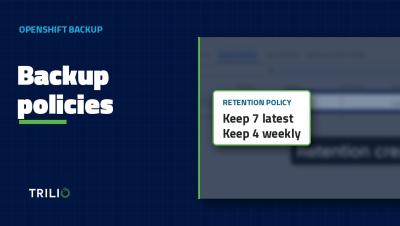
Create the schedule and retention policies that Trilio for Kubernetes backup plans use on OpenShift, with a staggered start time and a simple daily plus weekly retention. You will: Best practices covered: stagger schedules a few minutes off the hour and give each plan its own slot, so no two plans back up the same volume at once; set the time zone explicitly in the TrilioVault Manager, so daylight saving changes do not move your backups.

Back up OpenShift to NFS: create an NFS backup target | Trilio for Kubernetes

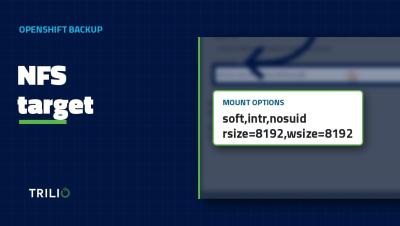
Create an NFS backup target for Trilio for Kubernetes on OpenShift, with the NFS mount options we recommend. You will: Best practices covered: mount with soft, not hard (with a hard mount a stalled NFS server can hang the worker node); do not tune mount options without testing a backup and a restore; Available only proves T4K can write to the export, so run one small backup and restore before you attach production backup plans.

Kubernetes backup console tour: backup plans, targets, policies | Trilio for Kubernetes

A tour of the Trilio for Kubernetes management console on OpenShift, so you know where everything lives before you create your first backup target and backup plan. You will see: Chapters Recorded on Red Hat OpenShift 4.21 with Trilio for Kubernetes 5.4.1.
OpenShift backup readiness: CSI snapshots and preflight check | Trilio for Kubernetes

Before you install Kubernetes backup on OpenShift, check that your cluster can take CSI snapshots. This video checks the OpenShift version, StorageClasses and VolumeSnapshotClasses, and runs the Trilio for Kubernetes preflight check. You will: Best practices covered: check the compatibility matrix before every install and every OpenShift upgrade; run the preflight against every StorageClass you protect, and again when you add one; keep CPU, memory and object-count quotas off the T4K namespace.