Security | Threat Detection | Cyberattacks | DevSecOps | Compliance

The Top 12 Compliance Tools for Unapproved AI Use

Compliance teams have control over approved corporate systems like enterprise software, managed databases, and internal applications. But they don’t have the same over what employees paste into ChatGPT, upload to Claude, or share with Gemini and other unauthorized AI tools. As such, when auditors review AI usage controls, most organizations discover they can’t prove that employees aren’t exposing regulated data through external AI services.

Three AI Blind Spots Your Security Team Can't Afford to Miss

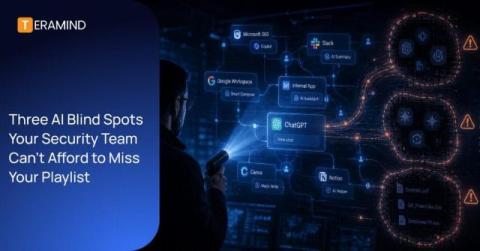
AI governance is not a policy problem. It’s a visibility problem. Most enterprises are approaching it from the outside in: writing acceptable use policies, issuing guidelines, and hoping employees comply. That approach fails because it operates on assumption rather than evidence. You cannot enforce what you cannot see and most organizations have no reliable way to see what AI tools are actually running inside their environment.

Generative AI DLP: How Does It Work?

As generative AI tools like ChatGPT, Claude, and Gemini become essential to the modern workplace, they bring a new, invisible threat: the risk of sensitive data leaking through every prompt and interaction. Traditional DLP tools are no longer enough to protect proprietary code, PII, and trade secrets from being absorbed into public AI models. This guide explores the mechanics of generative AI DLP (Data Loss Prevention) and how it creates a safety net between your team and the AI apps they use.

Release 875: New Mac Features, Enhanced Monitoring, and Granular Data Mapping

This release delivers heavy-hitting updates to the Mac Agent, extends Windows monitoring into native desktop applications like WhatsApp, and provides administrators with more granular tools to manage data and triage security alerts. Here is a summary of the new features and improvements available in this release.

13 Real-life Insider Threat Examples

While many organizations focus on external threat actors, insider threats are a significant risk that can devastate a business from within. Because these individuals have legitimate access to a company’s systems, their actions — whether motivated by financial gain or caused by human error — often bypass security controls. And the problem is only getting worse. According to the Ponemon Institute, insider attacks increased by 47% from 2023-25.

Proofpoint DLP vs. Trellix DLP: Which is the Best Solution?

Proofpoint DLP and Trellix DLP are two notable data loss prevention solutions. In this blog, we’ll analyze both platforms in depth and see how they compare. We’ll also introduce Teramind as a compelling alternative that combines the best aspects of Proofpoint and Trellix, while offering additional tools that could increase your workforce’s safety and productivity.

How to Track and Monitor Employee AI Usage

Artificial intelligence is rapidly moving from an experimental phase to a fundamental business requirement. While tools like ChatGPT can turn hours of data analysis into minutes of work, they also introduce a new era of Shadow IT and data security risks. If you’re concerned about sensitive spreadsheets being uploaded to third-party AI or want to ensure your team is seeing a true return on investment, you need a clear strategy for monitoring employee AI usage.

What is Generative AI Security? Types, Risks & Best Practices

Generative AI security is the practice of protecting generative artificial intelligence models, applications, and their underlying training data from cyber attacks, data leakage, and unauthorized access. It focuses on securing both sides of the system—i.e., the AI itself (models, pipelines, APIs) and the sensitive data flowing into and out of it during real-world use.

How to Manage Unauthorized AI Tool Usage in Your Business

In only a few years, artificial intelligence (AI) has changed almost every aspect of life, and especially so in business. Today, employees are using generative AI tools to draft emails, code software, and analyze data at lightning speed. However, there is a hidden side to this productivity boost: unauthorized AI use. Many employees are bypassing official IT channels and using shadow AI applications to get their work done.

BYOD Security Risks: How to Protect Your Business

It’s tempting for organizations to let employees use their devices for work. It saves money, is convenient for users, and allows corporate network access from remote locations. However, “bring your own device” (BYOD) arrangements can lead to serious security risks compared to issuing company-owned devices. In this post, we’ll assess the main BYOD security risks and explain how you can prevent them.