
WireGuard vs OpenVPN: What Actually Matters for Everyday VPN Security?
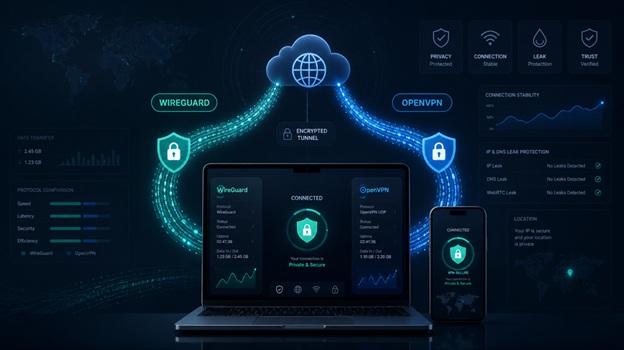
Many people look at the protocol first when choosing a VPN.
WireGuard sounds newer and faster. OpenVPN sounds mature and dependable. The question quickly becomes: which one is safer?
It is a useful question, but it is not complete.
VPN protocols do matter. They help decide how the encrypted tunnel is created, how the connection is verified, and how data moves between your device and the VPN server. But in real use, a VPN is not trustworthy just because it supports a certain protocol.
Two VPNs can both use WireGuard and still offer very different levels of protection. Two services can both support OpenVPN and still behave differently because of configuration, app quality, privacy policy, and server management.
Before choosing a protocol, it helps to ask two simpler questions: what situation is it good for, and is the VPN provider behind it maintaining the service properly?
A VPN Protocol Decides How the Connection Is Built
A VPN protocol is basically a set of connection rules.
When you open a VPN app and connect to a server, your device creates an encrypted tunnel to that server. The protocol decides how that tunnel is created, verified, kept alive, and used to move data.
That may sound technical, but it affects everyday use.
It can influence connection speed, stability, reconnection after a drop, how smoothly the VPN handles switching from Wi-Fi to mobile data, and whether the connection can be set up manually on a router or company network.
For most users, the protocol is just one option in the settings menu. Many people never change it at all.
Still, if you often use public Wi-Fi, work remotely, or care about speed and privacy, understanding the difference between WireGuard and OpenVPN helps. At the very least, it keeps you from choosing based only on which name sounds more advanced.
WireGuard Often Feels Better in Daily Use
WireGuard became popular partly because it is lighter by design.
Compared with some older protocols, it has a cleaner structure and a smaller codebase. That can make it easier to review, maintain, and implement well.
For users, the most noticeable difference is usually speed and connection feel.
WireGuard often connects quickly, has lower latency, and works well for daily browsing, video calls, streaming, public Wi-Fi, and mobile devices that move between networks.
For example, you may be connected to café Wi-Fi, then walk outside and switch to mobile data. A well-implemented WireGuard connection often recovers smoothly without making the drop obvious.
But WireGuard is not a shortcut to automatic privacy.
The protocol design is modern, but privacy still depends on how the VPN provider manages servers, handles user IP addresses, stores session information, and sets default protections.
A strong protocol can still deliver a weak experience if the service behind it is poorly operated.
OpenVPN Still Works Well When Compatibility Matters
OpenVPN has been around much longer and has been used in many different environments.
Its strength is not novelty. It is maturity, flexibility, and compatibility.
Many routers, business networks, older devices, and manual setup environments still support OpenVPN. For users who need more detailed configuration, it can also support more authentication methods and network settings.
For example, someone may want to install a VPN on a router so every device at home uses the same connection. A remote work setup may need more specific access rules. Some networks may also behave better with OpenVPN than with newer protocols.
The tradeoff is complexity.
OpenVPN can be configured well, or it can be configured badly. Encryption settings, certificate handling, client versions, server configuration, and update habits all affect the final security level.
So OpenVPN should not be dismissed just because it is older.
What matters is whether it is configured correctly and maintained over time.
A Faster Protocol Does Not Make the Whole VPN Safer
Many users like WireGuard because it is often faster.
That makes sense. Speed matters in daily use. Nobody wants a VPN that makes websites slow, video calls unstable, or streaming frustrating.
But speed is only one part of the experience.
Even with a fast protocol, a VPN app can still have other problems. DNS leaks, poor IPv6 handling, WebRTC exposure, an unreliable kill switch, or traffic that slips through after a connection drop can all weaken privacy.
Those issues do not disappear just because the protocol name sounds modern.
A reliable VPN also depends on practical details: whether the app is updated regularly, whether the default settings are safe, whether DNS leak protection is included, whether the kill switch works well, whether the privacy policy is clear, and whether the provider explains how it handles data requests.
The protocol is the foundation. The app and operating practices decide whether that foundation is used well.
The Protocol List Is Only the Starting Point
It is useful when a VPN supports both WireGuard and OpenVPN.
But the settings menu should not be the only thing users check.
It is worth looking at how the provider explains its privacy practices, server management, data request process, app security, and user protection measures.
If a provider only says it is “secure” or “private” without clear documentation, users have very little to judge. A provider that publishes more information gives users more to work with.
For example, a public transparency report can show what types of data requests a VPN provider has received, how those requests were handled, and whether user information was disclosed.
X-VPN is one consumer VPN brand that publishes transparency-related information. That kind of documentation does not replace technical security, but it can be one useful signal when judging trust.
A protocol list tells you how a VPN can connect. Transparency, app quality, and privacy documentation help you judge whether the VPN service is worth using over time.
Everyday Users Can Choose Based on the Situation
For everyday use, WireGuard is often a good first choice.
It is fast, easy to use, and usually works well for browsing, public Wi-Fi, streaming, and remote work. If you are using a newer phone or computer and the VPN app recommends WireGuard by default, it is reasonable to start there.
OpenVPN is still useful when compatibility matters.
Older routers, manual setup, business networks, unusual network conditions, and more controlled configurations may all be better suited to OpenVPN.
A practical approach is simple: try WireGuard first for daily use. Consider OpenVPN when you need router support, older device compatibility, or manual configuration. If WireGuard does not behave well on a certain network, switching to OpenVPN may also be worth trying.
Protocol choice does not need to be permanent. For most users, it is more like choosing the right tool for the situation.
Many Privacy Problems Have Little to Do With Protocol Choice
Some VPN users focus heavily on protocol choice while ignoring easier problems to fix.
Weak account passwords, no two-factor authentication, outdated VPN apps, careless logins on public Wi-Fi, and never checking for DNS leaks can all create real privacy issues.
Another common mistake is assuming that turning on a VPN solves every security problem.
A VPN can protect traffic between your device and the VPN server. It can also reduce direct IP exposure. But it cannot recognise phishing sites for you, fix weak passwords, or stop you from entering account details into a fake page.
Security tools reduce certain risks. They do not replace good habits.
If a user has poor password habits, ignores updates, and clicks through suspicious pages, even a strong protocol cannot cover every gap.
A Safer VPN Choice Looks at the Whole Setup
WireGuard and OpenVPN both have value.
WireGuard is lighter, faster, and well suited to most daily use. OpenVPN is mature, flexible, and still useful for compatibility and manual setup.
The mistake is treating the protocol name as the whole decision.
A VPN is easier to evaluate when you also look at app quality, server operation, leak protection, kill switch behavior, privacy policy, transparency reporting, and update frequency.
The protocol decides how the tunnel is built.
The provider decides how well that tunnel is maintained.
For most users, the safer choice is not chasing the “strongest” protocol name. It is choosing a VPN that fits the situation and explains its privacy and security practices clearly enough to be trusted.