
How to Use AI to Create Better Video Content
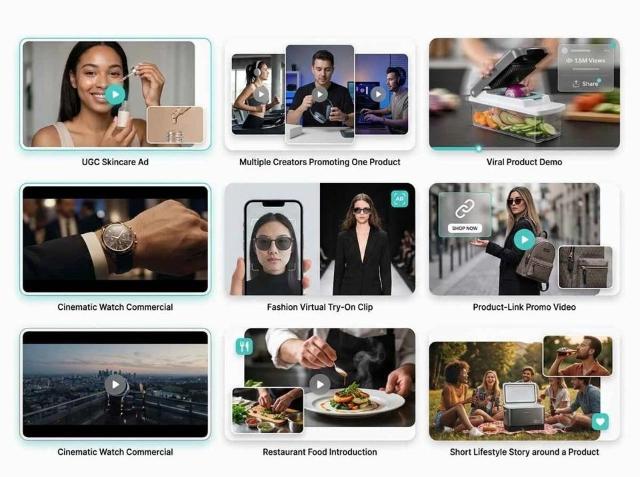
Video content is the most effective way to reach people online. It grabs attention and helps you share your message quickly. For a long time, making high quality videos was difficult. You needed expensive cameras, powerful computers, and years of training. Now, artificial intelligence is making it possible for anyone to produce amazing clips. You can save time and money by using these new tools. This guide will show you how to start using AI to improve your creative process.
The first step in any video project is the plan. You need a solid idea and a script before you start filming. AI can help you brainstorm topics if you feel stuck. You can type a few keywords into a chat tool to get a list of titles. Once you have a title, you can ask the AI to write a full script. This helps you organize your thoughts and ensures you do not miss any important points. It is a great way to create videos from simple ideas without spending hours staring at a blank screen.
After your script is ready, you need to think about the look of your video. You might not have the budget to hire a photographer or a graphic designer. AI can solve this problem by making images for you. You can generate custom visuals for creative projects by describing what you want to see. These images can serve as backgrounds, thumbnails, or even parts of an animation. Using custom images makes your work look more professional and unique.
Step by Step Guide to AI Video Creation
Step 1: Define Your Goal and Script
Start by deciding what you want to achieve. Do you want to teach someone a skill or sell a product? Once you know your goal, write a script that speaks directly to your audience. Use simple words and keep your sentences short. AI tools can help you refine your tone. If your script feels too formal, you can ask the tool to make it more conversational. This ensures your viewers stay engaged from the beginning to the end.
Step 2: Choose Your AI Video Tool
There are many different types of AI video software available. Some tools focus on creating avatars that speak your script. Others help you turn text into a series of stock clips and animations. Look for a tool that fits your specific needs. If you want to make a tutorial, a screen recording tool with AI editing might be best. If you want to make a social media ad, an automated video generator is a better choice.
Step 3: Generate and Organize Your Visuals
Now you need to put the pieces together. Use your AI tool to create the main video components. This might include generating a digital host or creating a sequence of scenes based on your script. Make sure the visuals match the mood of your message. If you are talking about a serious topic, use calm colors and steady shots. If your video is high energy, use bright colors and fast transitions.
Step 4: Add Voiceovers and Music
Sound is just as important as the picture. AI voice generators have improved a lot lately. You can choose from many different accents and styles. Pick a voice that sounds natural and fits your brand. After you add the voiceover, pick some background music. Most AI video platforms have a library of songs you can use. Make sure the music is not too loud. It should support your voice, not drown it out.
Step 5: Edit and Review
The final step is the most important. AI can do a lot of the work, but it still needs a human touch. Watch your video several times. Look for any parts that feel slow or confusing. You can use AI editing features to remove long pauses or add captions automatically. Captions are very helpful because many people watch videos with the sound turned off. Once you are happy with the result, export your video in the right format for your platform.
Tips and Best Practices
Always focus on the story. Even the most advanced technology cannot save a boring story. AI is a tool to help you tell your story better, not a replacement for your creativity. Keep your videos short and to the point. Most viewers lose interest after a few minutes. If you have a lot of information to share, consider making a series of short videos instead of one long one.
Use high quality prompts. When you tell an AI tool what to do, be very specific. Instead of saying make a video about a cat, say make a 30 second video of a ginger cat playing with a red ball in a sunny living room. The more detail you provide, the better the final result will be. This saves you from having to redo the work multiple times.
Maintain a consistent style. If you are making a series of videos, they should all look and feel similar. Use the same fonts, colors, and voice styles. This helps your audience recognize your brand quickly. AI tools make it easy to save your preferences so you can apply them to every new project you start.
Common Mistakes to Avoid
Do not rely entirely on the AI. It is easy to let the software do everything, but this can lead to generic content. Your audience wants to see your unique perspective. Always review the output and add your own thoughts or personal touches. This makes your content feel more authentic and trustworthy.
Avoid ignoring the audio quality. People will watch a video with average visuals, but they will turn off a video with bad audio. Make sure your voiceover is clear and easy to understand. Check for any background noise or weird robotic sounds that the AI might have created. A quick edit can fix these issues and make a big difference.
Do not skip the testing phase. Before you post your video to a large audience, show it to a few friends or colleagues. Ask them if the message is clear. Sometimes we are too close to our work to see the flaws. Getting a fresh set of eyes on your project can help you catch small mistakes before they become big problems.
Comparing Video Creation Methods
|
Method |
Production Time |
Cost Level |
Technical Skill |
|
Traditional Filming |
High |
High |
Expert |
|
Stock Footage Editing |
Medium |
Medium |
Intermediate |
|
AI Video Generation |
Low |
Low |
Beginner |
Conclusion
AI tools are changing the world of content creation for the better. They allow you to turn your ideas into professional videos in a fraction of the time it used to take. By following a clear process and using the right tools, you can reach more people and grow your online presence. Remember to keep your audience in mind and always prioritize good storytelling. With a little practice, you will be able to produce high quality videos that truly stand out. Start experimenting with these tools today and see how they can improve your creative workflow.