
AI Image Editing Has a Place in Security Communications, With Clear Boundaries
An internal security newsletter needs a header image. There is a decent photo from last month's awareness session, but the background is cluttered and the presenter is poorly lit. Cleaning it up seems reasonable. Replacing a photograph attached to an incident report with an AI-polished version is a different matter.
Security teams create more than evidence. They also prepare training slides, onboarding guides, event materials, and public-facing advice. Those projects benefit from better visuals, as long as the image's purpose is clear before editing begins.
Match the Editing Method to the Image's Purpose
A useful first question is whether the picture is supposed to document something that happened or explain an idea. The answer should determine which changes are acceptable.
|
Image Type |
Reasonable approach |
What to verify |
|
Incident or access-control evidence |
Keep the original intact; create a separate illustration if necessary |
Dates, identifiers, and visible details remain available in the original |
|
Software or security-setting screenshot |
Use conventional cropping and annotation; avoid generative alterations to interface details |
Menus, labels, and instructions match the real product |
|
Security awareness poster |
Generate or edit an illustrative scene |
The visual is not presented as a real incident |
|
Staff event or training photo |
Improve presentation, with permission from the people pictured |
Faces, context, and meaningful signage are preserved |
A fictional phishing scenario can be useful in a workshop. An altered screenshot purporting to show an actual phishing email needs much closer scrutiny.
Make One Change at a Time
Broad prompts can produce attractive results while changing details the editor wanted to retain. A practical editing request identifies the intended adjustment and the parts of the image that should stay recognizable.
For example, a team preparing a recap of a security workshop might request: "Reduce the distracting background clutter and improve the indoor lighting. Keep the presenter, clothing, and room layout recognizable." The output still needs to be compared with the source, particularly around faces, logos, and written material.
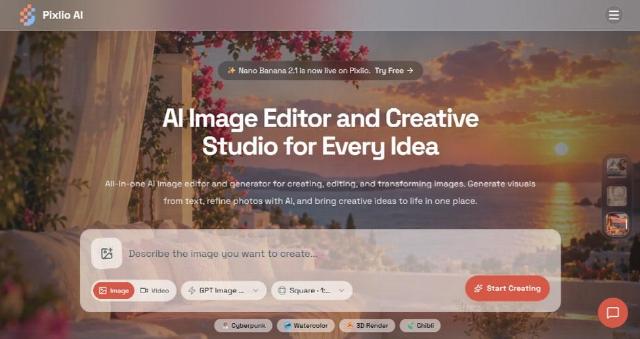
Pixlio AI photo editor supports this kind of reference-led workflow. Users can upload an existing image, describe an edit in ordinary language, choose an available AI model, and revise the generated result. The same workspace can also create a new image from text when an illustration is more appropriate than an edited photograph.
The ability to make a second pass matters. If a background improves but the subject changes unexpectedly, the editor can adjust the instruction or return to the original instead of accepting an inaccurate image.
Choose Specialized Tools When the Task Is Specific
Not every visual job needs a detailed prompt. Pixlio is also an AI image creative studio, with focused tools for common production tasks.
Its background remover can isolate a speaker's portrait for a training invitation, while an image object remover can clean stray equipment or other distractions from a promotional photograph. For an illustrative security-awareness slide, the AI image combiner can merge a generic device photograph with an office background, with options that help match perspective, lighting, and shadows.
These tools are useful for presentation assets, provided the results are not presented as documentary photographs. A composite showing a hypothetical insecure workspace should be described as an illustration.
Pixlio's main image workspace also offers next steps such as upscaling, extending a scene, and carrying a selected image into video creation. These options open dedicated workflows for further processing. That can help a small communications team reuse an approved visual across slides and short educational videos without repeatedly preparing the source material.
Build the Review Into the Publishing Process
Convenience should not dictate what gets uploaded. Real credentials, confidential screens, customer information, and investigation photographs may have restrictions that rule out their use in external AI services altogether. Check organizational policy and permissions before using any image tool. Where sensitive information must be hidden, apply reliable redaction before upload; generative cleanup is not a substitute.
Creation visibility also deserves attention. Pixlio offers private creation options for paid users, but a private setting alone does not establish that a particular upload is authorized. Teams should confirm their own data-handling requirements.
For ordinary creative work, keep the untouched source, review the finished image at full size, and record any substantive changes. If the picture combines separate sources or depicts a fictional situation, a straightforward caption prevents confusion later.
AI editing can make security training and outreach materials easier to produce. Keeping a clear distinction between illustrations and factual records allows teams to benefit from those tools while preserving the accuracy of information colleagues and the public depend on.