
Secure Laptop Deployment for Distributed Teams: Closing the MDM Enrollment Gap

Remote and hybrid work are now standard. Gartner reports that seven in ten U.S. knowledge workers split their week between home and office—or stay fully remote. That shift turns every laptop into a branch office, yet many devices still cross borders and porches without encryption, policy enforcement, or MDM enrollment.
Mistakes are costly: enterprises misplace an average of 103 laptops a year and pay about $234,000 just in replacements. We call that blind spot the last-mile laptop dilemma.
This guide unpacks seven ways you can ship gear that locks itself down before the first keystroke, so both end users and IT stay productive from day one.
How we ranked these solutions
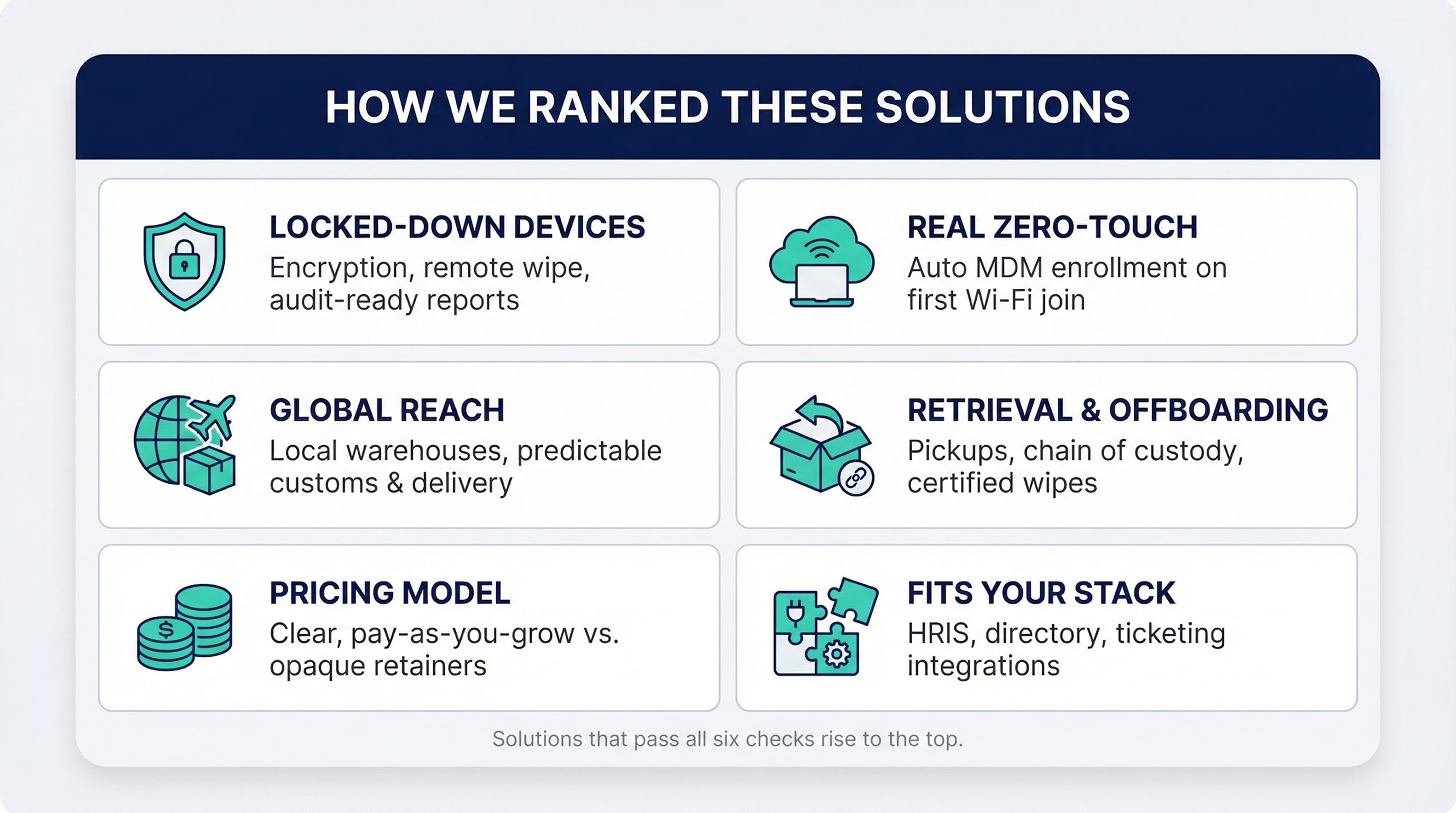
Selecting a laptop-deployment partner is not guesswork. We scored each contender against six questions that IT and security teams ask every week.
First, will the device arrive locked down? We looked for mandatory encryption, remote-wipe controls, and audit-ready reports that satisfy SOC 2 or ISO 27001 reviewers.
Second, does zero-touch mean zero-touch? The device must auto-enroll in MDM the moment it joins Wi-Fi, saving hours of remote support.
Third, can it cross oceans without surprises? Global warehouses, customs expertise, and predictable delivery windows separate scalable platforms from single-country shops.
Fourth, what happens when an employee leaves? Secure pickup, chain-of-custody tracking, and certified data wipes protect budgets and brand reputation.
Fifth, how does pricing show up on the balance sheet? Clear, pay-as-you-grow models beat opaque retainers.
Finally, will it fit the stack you already run? Native hooks into HRIS, directory services, and ticketing tools keep onboarding and offboarding smooth.
Solutions that passed all six tests rose to the top of our list; the rest serve niche needs and leave gaps you must address elsewhere.
1. Allwhere (procurement-to-retrieval in 48 countries)
Think of Allwhere as your remote-IT pit crew. allwhere's solution combines global warehouses with end-to-end logistics, hitting a 96 percent on-time delivery rate across 48 countries. You place an order and, in one of its global warehouses, a technician images the laptop, registers it with Apple Business Manager or Windows Autopilot, and packs a welcome kit that often reaches your new hire before HR ships the hoodie.
The benefit appears at first boot. The device calls home, enrolls in MDM, turns on full-disk encryption, and installs your standard stack without a single screen share from IT. Zero-touch is literal, and teams report day-one productivity instead of day-one ticket queues.
Because Allwhere stores gear on several continents, boxes clear customs like local parcels. No surprise tariffs, no tracking links stalled in “Awaiting documents.” When an employee leaves, Allwhere reverses the play: prepaid label, scheduled pickup, certified wipe, and a dashboard entry you can show your auditor.
Pricing stays simple: pay per device with no platform subscription. Finance gets a clean line item, and IT wins back hours every month.
2. Firstbase (equipment-as-a-service for globally dispersed teams)

Firstbase Equipment-as-a-Service Platform Screenshot
Firstbase treats hardware like SaaS. You subscribe to a laptop the way you subscribe to Slack. One monthly fee covers procurement, imaging, shipping, break-fix support, and end-of-life pickup. Finance enjoys predictable OPEX, and IT hands off every wrench-turning task.
Speed is the priority. Stocked hubs in North America, Europe, and Asia let new hires receive gear in four to seven days, regardless of time zone. Each device ships pre-registered with Autopilot or Apple Business Manager and auto-enrolls in your MDM as soon as it joins Wi-Fi.
The lifecycle loop is just as polished. When an employee departs, Firstbase emails a prepaid label, schedules a courier, tracks chain of custody, and wipes the drive in its facility. Healthy machines return to your inventory; damaged ones go to repair or certified recycling, with status visible in one dashboard.
You avoid stranded assets, customs surprises, and late-night calls to walk someone through disk encryption over Zoom.
3. Hofy (now Deel IT): hire and equip in one motion
If you already rely on Deel for compliant hiring across borders, Hofy bolts hardware onto the same workflow. Tick a box during onboarding and a fully imaged laptop heads to your new teammate—no extra portals, no frantic Slack pings to IT.
Coverage stands out: more than 120 countries receive local-warehouse fulfillment, so a MacBook bound for Lagos or a Lenovo headed to Lisbon never stalls in overseas customs. Delivery dates stay predictable, and taxes remain clear.
Security starts upstream. Hofy assigns each serial number to your Apple Business Manager or Autopilot tenant before the courier scans the label. When the lid opens, MDM takes over by turning on encryption, enforcing password length, and installing your approved stack while the welcome coffee is still hot.
Long after onboarding, Hofy continues to help. Break-fix support runs around the clock, swap devices ship overnight, and exit pickups follow schedule with chain-of-custody receipts waiting in your dashboard. HR, finance, and IT all see one invoice and one set of analytics.
4. Microsoft Autopilot + Intune: the Windows zero-touch backbone
Autopilot replaces manual imaging with a cloud assignment. Register the laptop’s hardware ID, link it to a user, and ship directly from the OEM. When the box lands on a kitchen table, the device connects to Azure AD, downloads its profile, and walks the employee through a branded five-minute setup—no USB keys, no desk-side visits.
Intune takes over next. It turns on BitLocker, deploys antivirus, patches the OS, and installs every approved app before the first team-chat ping. From your console you watch compliance reach 100 percent, even if the user is on hotel Wi-Fi.
Scale is the advantage. Ten devices or ten thousand follow the same script, so new regions come online without extra headcount. Pair Autopilot with any logistics partner in this guide and Windows endpoints arrive locked, configured, and audit-ready on day one.
5. Jamf + Apple Business Manager: zero-touch for the Mac fleet
Apple Business Manager is the macOS counterpart to Autopilot. Once a reseller assigns a new MacBook to your ABM tenant, that serial number belongs to you. Ship the device anywhere, power it on, and the first splash screen already displays your company logo.
Jamf finishes enrollment. During Setup Assistant, the Mac joins Jamf automatically, turns on FileVault, installs your VPN and EDR, and locks critical settings before the user can click Later. The flow feels native, so new hires get productive without flooding Slack with questions.
Jamf and Apple Business Manager Mac Zero-Touch Workflow Diagram
Because enrollment travels through Apple’s own pipeline, compliance never relies on a QR code or manual download. IT receives real-time inventory and can remote-wipe a misplaced laptop in seconds.
Pair Jamf and ABM with any logistics provider in this guide and you cover every angle: a polished unboxing for the employee, instant policy enforcement for security, and no midnight imaging sessions for IT.
6. Rippling: HR, payroll, and device security in one system
Rippling blurs the line between people ops and endpoint ops. Add the IT module to its HR platform, and every employee record doubles as a hardware profile. When you click Send offer, Rippling orders a laptop, tags it to the new hire, and schedules shipment—no swivel-chair handoff between HR and IT.
On start day, the same dashboard guides the device through Rippling’s built-in MDM. Policies apply before the first password is created, and compliance status appears beside tax documents. One system, one source of truth.
Offboarding is equally direct. End the account, and Rippling disables access, starts a remote wipe, and emails a prepaid return label in the same workflow. Finance can hold final pay until the tracking number moves, turning lost-device risk into a rounding error.
For lean teams that want consolidation, Rippling replaces a stack of niche tools with a single dashboard that speaks clearly to HR, payroll, and security.
7. Retrieval-focused specialists: HelloRetriever and Unduit
Deployment covers only half of device security. The bigger test arrives when a teammate leaves and the laptop goes dark. Retrieval-first providers step in at that moment.
HelloRetriever treats offboarding like a parcel under escort. The service emails a prepaid label, books a courier, and tracks every handoff from doorstep to data-wipe bay. IT watches the chain-of-custody log update in real time, auditors approve, and the chance of a missing device drops close to zero.
Unduit adds a sustainability layer. Each returned machine enters triage: quick repair if the fix costs less than replacement, redeployment if it passes health checks, or certified recycling if it fails. The workflow cuts capital expense, reduces e-waste, and shows stakeholders that security and environmental goals can align.
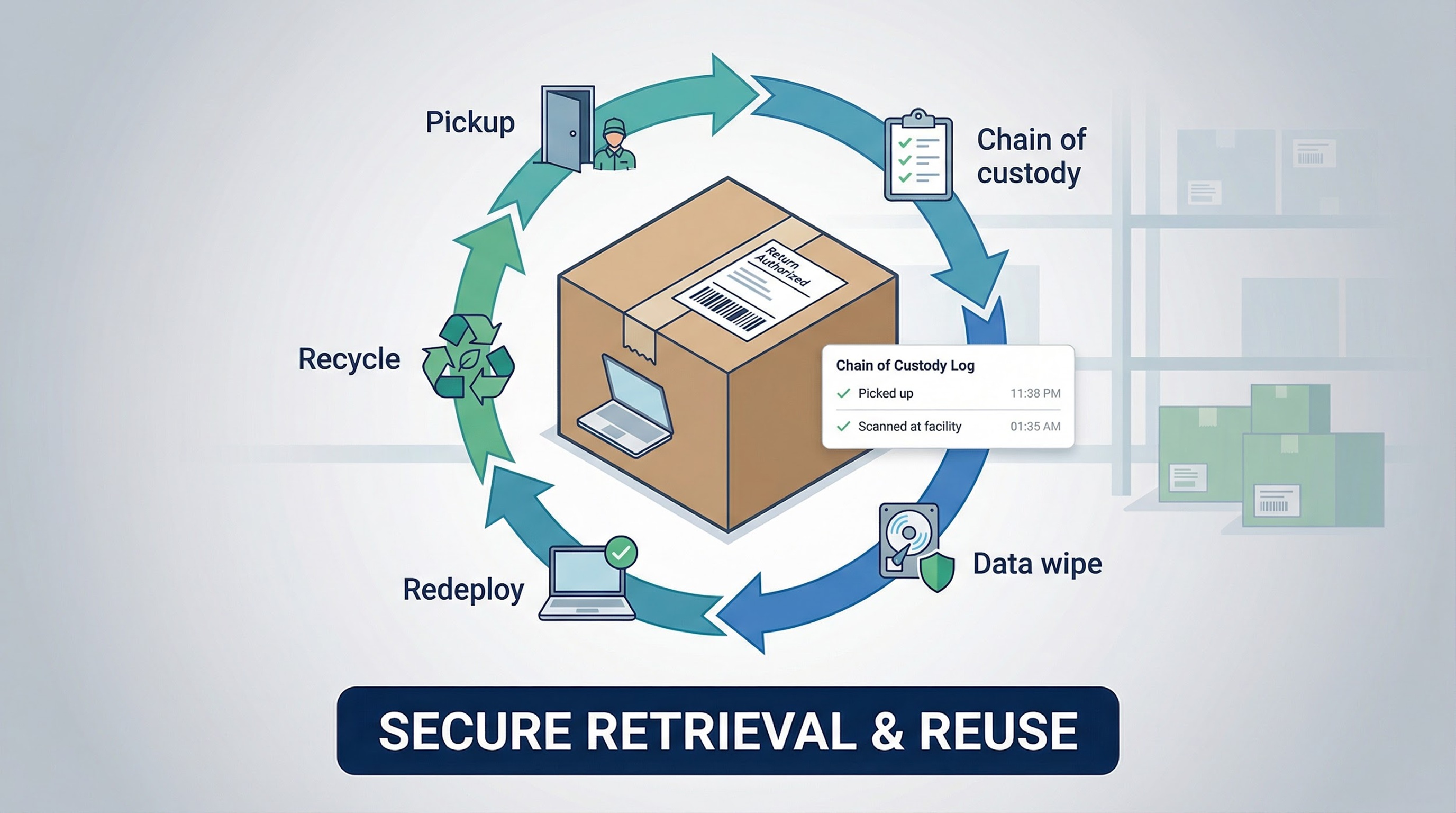
Neither company ships new laptops, but both seal the exit gap that full-stack vendors sometimes overlook. Pair one with your deployment partner and you close the loop—from first boot to final wipe—with confidence.
Side-by-side snapshot
Before implementation, it helps to view the options on one screen. The table below summarizes shipping scope, enrollment method, retrieval support, pricing approach, and best-fit use case.
|
Solution |
Global reach |
Zero-touch automation |
Retrieval included |
Pricing model |
Ideal fit |
|---|---|---|---|---|---|
|
Allwhere |
48 countries |
Autopilot & ABM pre-enrolled |
Yes |
Pay per device |
Mid-market teams growing worldwide |
|
Firstbase |
North America, EU, APAC hubs |
Autopilot & ABM imaging |
Yes |
Monthly subscription |
Startups wanting hardware as a service |
|
Hofy / Deel IT |
120+ countries |
Autopilot & ABM pre-enrolled |
Yes |
Bundled with Deel |
Enterprises hiring through Deel |
|
Microsoft Autopilot + Intune |
Software only |
Native to Windows |
No |
Per-user license |
Any org running Windows at scale |
|
Jamf + Apple Business Manager |
Software only |
Native to macOS |
No |
Per-device license |
Apple-heavy engineering or creative teams |
|
Rippling |
Ships via partners (US focus) |
Built-in MDM |
Yes |
Add-on to HR suite |
SMBs consolidating HR and IT |
|
HelloRetriever / Unduit |
US + selected global |
N/A |
Yes (core service) |
Per-pickup fee |
Companies closing the offboarding gap |
If a cell reads “No,” plan to plug that gap with a companion tool or an internal process.
Frequently asked questions
What is zero-touch deployment, and why should we care?
Zero-touch means the laptop arrives, the user powers on, and company policies apply before a single click. No mailed USB sticks, no screen-share sessions. You cut onboarding from hours to minutes and remove the window where an unmanaged device can go rogue.
How do we ship laptops overseas without customs setbacks?
Work with partners that stage inventory inside the regions where you hire. Allwhere and Hofy ship from local warehouses, so parcels clear like domestic mail. If you manage shipping yourself, plan on two to four weeks for brokerage paperwork and unexpected VAT.
What if an employee keeps the laptop after departure?
Start with a signed equipment agreement, then back it with technology. Retrieval services such as HelloRetriever track pickups down to each scan, while MDM lets you lock or erase the device. A recent survey found that 61 percent of IT leaders faced a remote-work data breach, and missing hardware was the top cause.
Is BYOD cheaper in the long run?
Not once you add hidden costs. Supporting every make and model, weaker control over encryption, and employee pushback on corporate agents inflate the total. Company-issued, centrally managed laptops cost more up front but save audit findings, cleanup bills, and support time.
How do we keep software current once the laptop is live?
MDM takes the wheel. Whether you use Intune, Jamf, or Rippling’s built-in agent, you can schedule patches, block risky apps, and pull compliance reports without waiting for machines to connect over VPN. A strong deployment partner enrolls every device on day one so life-cycle management stays automatic.
Conclusion: close the gap, secure the future
Remote work is now standard, and that places every laptop on the front line. You already have a playbook: choose a deployment partner that ships from the right region, rely on Autopilot or ABM for instant enrollment, and back up offboarding with a retrieval specialist.
Start this week. Count how many devices in your fleet are not yet enrolled, pilot one solution with your next hire, and draft a cradle-to-grave policy that links IT, HR, and finance. Follow those steps, and the last-mile laptop dilemma shrinks to a solved problem, not a security headline.
We share the same goal: every employee productive, every endpoint compliant, every auditor satisfied. With the right stack, you reach that result consistently and at scale.