
Malvertising 101: When the Top Ad on Your Search Is a Trap
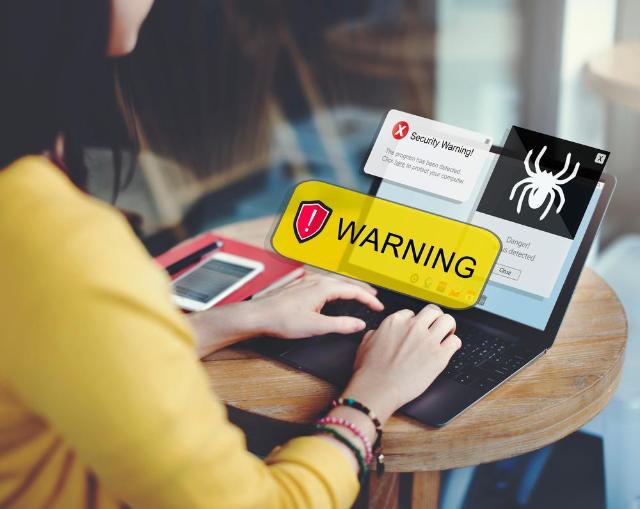
Image Source: depositphotos.com
Online searching is something we do on a daily basis, often more than once, and we usually rely on the first result that appears. While it’s the most practical solution, it’s not the safest.
In recent years, we’ve seen a growing threat called malvertising, which is a much more sophisticated trap than most of what we’re accustomed to seeing. The numbers indicate that this is an increasing concern, and we’ll explain how to protect yourself from it.
What is Malvertising?
Malvertising, or malicious advertising, is the use of online ads to spread malware, allowing attackers to steal personal data or login information.
This approach differs from the already popular pop-up ads because it’s hidden in the results page of your search query. Attackers pay for these ads and use legitimate networks, which is why they appear legitimate and credible.
According to research conducted by ProPrivacy, 1 in 100 ads contains malicious code, indicating that the damage from these attacks is substantial.
How Does Malvertising Work?
Malvertising begins when attackers purchase ad space, which they use to insert their malicious intent. Bidding for keywords is the most common approach, and they’re often prepared to pay more than the real brand to secure the space.
Their approach relies on imitating the official brand, copying the logo, colors, and all elements surrounding the brand to ensure the ads appear as legitimate as possible. The goal is to make sure the ads are authentic so that the average internet user believes them.
The trap involves convincing you that you need to log in to verify your account or re-enter your personal or payment information. Attackers emphasize that you must do this, so there’s some urgency forcing you to make a split-second decision and give them everything that they want.
To give you an idea of the scale, in 2024, Google blocked over 5 billion ads, restricted over 4 billion ads, and suspended almost 7 million accounts. Despite that, the numbers are on the increase, which is worrying.
How to Spot a Suspicious Ad?
Malvertising can be convincing, which is why so many people fall victim to it. With that said, there are a few ways in which you can avoid being part of the statistic:
- Checking the URL: This is the safest way to determine whether an ad is safe. Hover over the URL and make sure it’s the correct one. Remember that in fraudulent links, some characters in the URL might look identical to the original one — making it even more difficult to notice them.
- Don’t fall for the urgency: Similar to phishing, attackers rely on urgency to distract you from looking too closely and falling for the scam. If you click on an ad on a search engine and get bombarded with messages that you must act now, there’s a high chance it’s not the real company behind the ad.
- Look for flaws: As good as attackers are at impersonating a company, there will probably be some slight discrepancy between the legitimate one and the scam ad, so you’ll need to be thorough in your search.
- Don’t download anything: If you’re searching for some software you need to download, the first ad you see might be the right one, or it may not be. This is why it’s better to type in the URL manually, just to be safe.
How to Protect Yourself Online
Remaining protected online from malvertising or any kind of scam or attack is a good idea to ensure your personal data or login information remains safe, and there are a few services that can help you with that:
- VPN: While a VPN won’t protect you from scams if you tend to click on things you shouldn’t, understanding what a VPN actually hides can still help. These services encrypt your traffic, meaning that if attackers intercept your data, they won’t be able to use it.
- Data removal service: These services help locate your personal information across the internet and work to have it taken down. By proactively removing exposed data, they reduce the risk of someone accessing and exploiting it before any harm can occur. If you’re looking to protect your privacy more effectively, choosing the best data removal service can make a significant difference.
- Password manager: Relying on a password manager has two advantages. The first one is that you won’t have to remember all of your passwords, regardless of how complicated they are. The second benefit is that you won’t have to reuse the same password across all your accounts, so if one is compromised, the others will remain safe.
- Ad blocker: These services are specifically designed to combat malvertising by blocking ads. Some of the good ones will block almost all ads, especially the malicious ones, leaving you with clean search results as well as a safe online activity.
- 2FA: Two-factor authentication is a must, especially for accounts that hold sensitive data. An attacker needs two methods of authentication, meaning that even if one is compromised, your account and data are safe.