Security | Threat Detection | Cyberattacks | DevSecOps | Compliance

Is Outlook Secure and Should You Use It for Private Emails?

Outlook is part of the Microsoft ecosystem of OneDrive, Teams, SharePoint, Word, Excel, PowerPoint, and Copilot. It offers plans for individuals, families, and businesses and cloud storage of up to 6TB. For this article, we will cover is Outlook secure for your needs, whether you need an email service with end-to-end encryption for your privacy needs, and the following topics.

How to Stop Google Photos Backup and Protect Your Cloud Storage

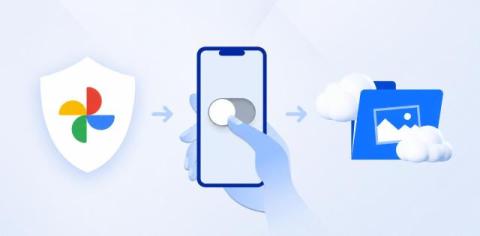
For Android users, all the photos you take are automatically backed up into Google Photos; the same goes if you have Google Photos on iOS or your desktop devices. But what if you don’t want to automatically back up your Google Photos? Or what if you no longer want to be a part of Google’s business model that profits from your data?

The Best Way to Share Photos Online Privately in 2026

Thanks to smartphones, taking photos has become an important part of our lives to share moments with friends and family. Thanks to cloud storage services, we can store, share, back up, and sync our photos easily, but finding the best way to share photos online privately can be a bit more challenging.

How To Encrypt A File: A Detailed Guide to Securing Your Data and Privacy

Encrypting files has become the new norm for the digital services we use online, from VPN, email, and cloud storage. Without it, our data is openly available for anyone to read, compromising our confidentiality, privacy, and security and potentially costing businesses millions in compliance fines. This comprehensive guide therefore offers you a comprehensive guide on how to encrypt files to ensure your data remains protected by covering the following topics.

Is a Google Drive Encrypted Folder Really Private?

Learn how Google Drive encryption works, whether you can password protect Google Docs, and how to encrypt Google Drive files and folders for extra security. If you’re interested in encrypting or getting more privacy for your cloud storage with a Google Drive encrypted folder, then there are methods to encrypt files before uploading them to Google, or to password-protect a Google Doc.

Sending Encrypted Files Online: The Secure, Private Way

Sending encrypted files is the only way to ensure your files are protected against data breaches and unauthorized access. Without encryption, your personal documents are available for everyone to see. Encryption is an essential part of our work and personal lives; from messaging, cloud storage, and file sharing, it helps keep our files protected and our data hidden from hackers.

Is Internxt Safe? A Look at Our Zero-Knowledge Security

If you're asking is Internxt safe for your cloud storage, it's natural to ask whether it's safe enough to trust with your personal or business data. Security is one of Internxt's biggest selling points, and privacy for everyone is Internxt’s mission. With features like post-quantum and zero-knowledge encryption, independent security audits, and GDPR and other compliance certifications, Internxt is designed to keep your files private and accessible to nobody but you. In this article, we'll explain.

What is Data Encryption & How It Protects your Files

Data encryption is a complex, but crucial aspect to protect your data, either in the cloud, in your private cloud storage, or when you send messages, emails, or send or transfer any information via the internet. To help simplify this topic, this article will cover: We will also cover the best encrypted cloud storage to protect your data in the cloud, and which encryption methods are best for your privacy.

What is Cloud Security?

Many people assume that cloud storage is automatically private, but in reality, security levels vary widely between providers. Understanding the differences between cloud security, privacy, and what kind of cloud storage meets your needs is essential if you want to protect personal or business information from unauthorized access, data leaks, or misuse.